

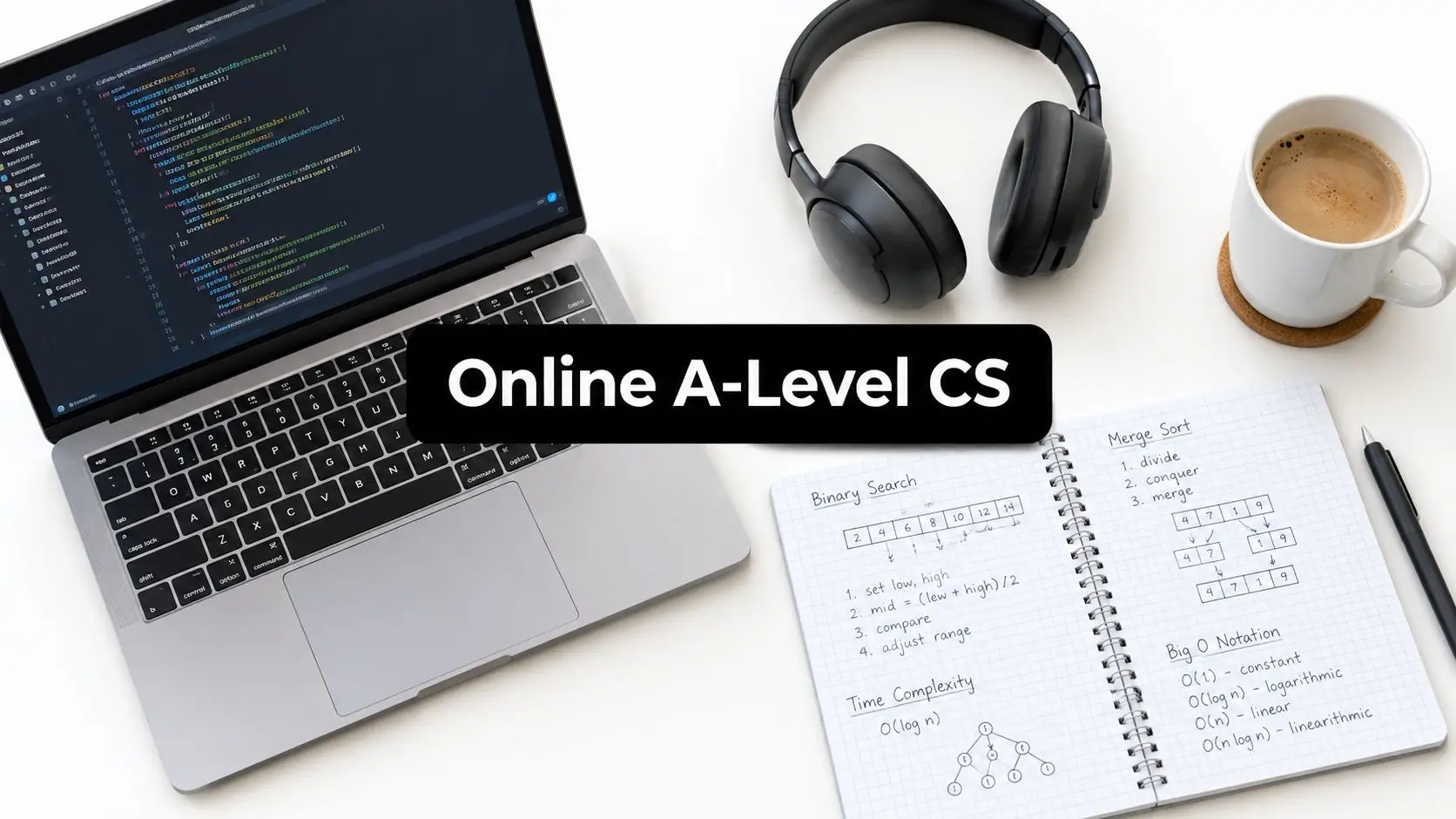
Your child closes the laptop after another difficult school day and says, “Maybe I'm just not good at Computer Science.” You've seen the problem isn't always ability. It may be the noise of a classroom, the pressure of speaking in front of peers, missed explanations, anxiety about asking for help, or the exhaustion of travelling to lessons every day. You're wondering whether online A level Computer Science could offer the same qualification in a calmer, more manageable setting.
That decision deserves more than a course brochure. Families need to understand the exam board, practical project, weekly workload, assessment arrangements, SEN and SEMH support, and the day-to-day experience of learning from home. The course must help a young person feel capable, not constantly behind.
What Online A Level Computer Science Actually Means
A parent might first imagine online learning as a teenager watching recorded videos alone, searching forums whenever the code stops working. That model can suit a highly independent learner, but it isn't the only form of online education, and it isn't always the most supportive route for a young person who already feels anxious about the subject.
A properly organised online A level can include live, teacher-led lessons, small-group discussion, guided programming practice, feedback on assignments, recorded sessions for catch-up, and planned pastoral contact. The difference is that the lesson happens through a digital classroom rather than a physical one. A learner can ask a question through chat, share their screen while debugging, or replay an explanation later without having to announce to a whole room that they didn't understand.
The qualification itself remains a serious academic route. In England, provisional exam-board data recorded 19,796 A-level Computer Science entries in summer 2025, compared with 20,370 in summer 2024, a decline of about 2.8% according to official A-level trends data. The same report places Computer Science among subjects with grade improvements in 2025. That combination suggests a stable subject with continuing academic and career relevance, rather than a niche option created only for online learners.
The medium changes, not the qualification
An online course should follow the specification of a recognised awarding organisation and prepare students for the same formal assessment route as other candidates on that specification. Written examinations remain important, and the practical project or non-exam assessment must be managed according to the chosen board's rules.
Families should also separate online schooling from unstructured self-study. With self-study, the learner carries responsibility for finding resources, interpreting the specification, checking progress and arranging assessment access. With a live online school, teachers can explain difficult ideas, watch how a student approaches a problem, identify misconceptions and provide a clear next step.
That structure can make an emotional difference. A teenager who is reluctant to speak in a crowded classroom may contribute confidently in a small online group. A student who missed a lesson because of illness can use the recording and attend a catch-up conversation. A parent can see whether the course has a real teaching model, rather than assuming that platform access equals support.
The right question isn't just, “Can my child study Computer Science online?” Ask instead, “What will happen when my child gets stuck, loses motivation, misses a lesson or needs an adjustment?” The answer should put wellbeing before speed and confidence before appearances.
Core Topics You Will Study and How They Connect
Computer Science becomes less intimidating when abstract ideas connect to familiar experiences. A learner doesn't need to memorise a long list of isolated terms. They need to understand how a computer represents information, follows instructions, stores data and solves problems.
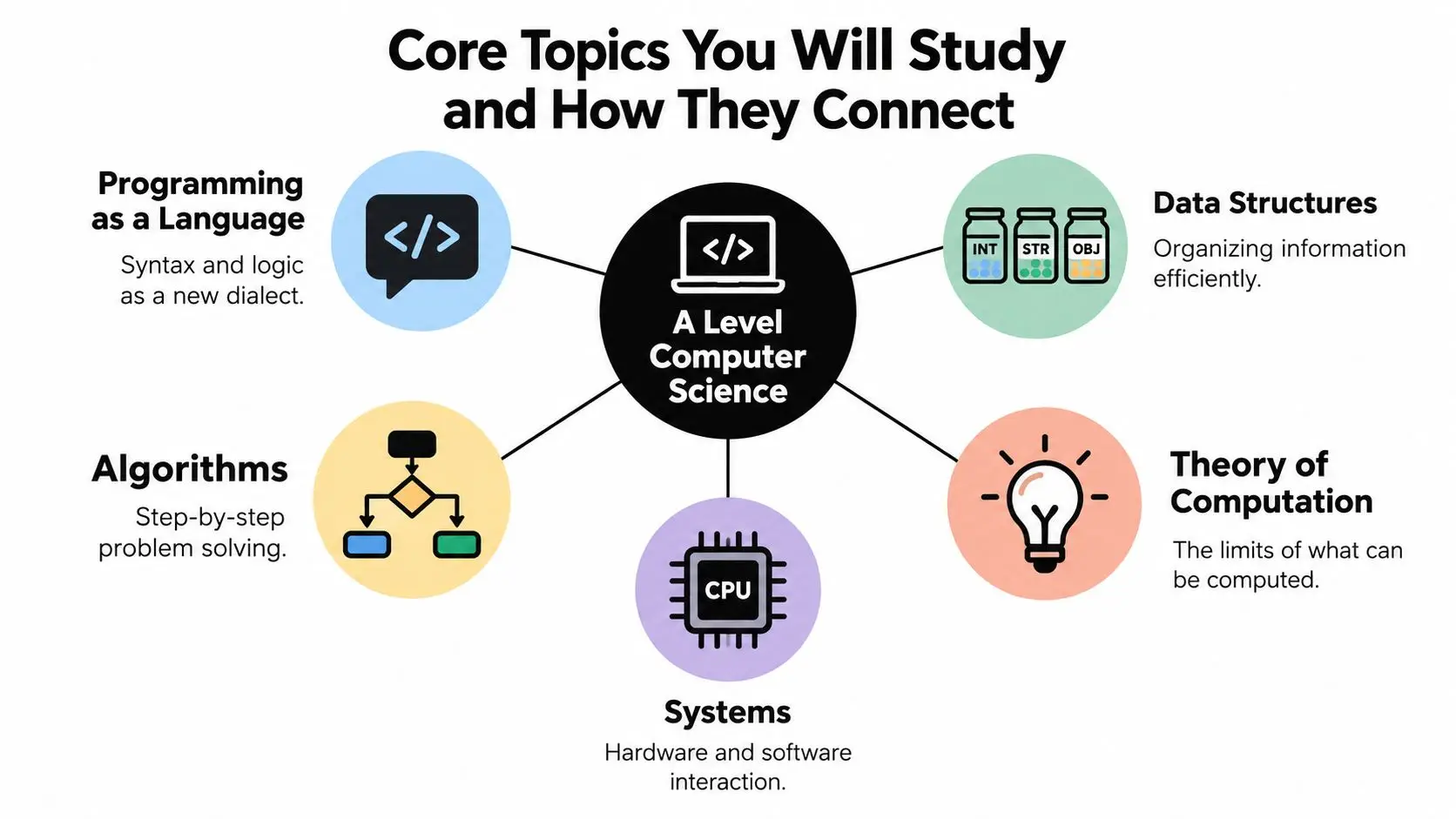
Programming feels like learning a new language
Programming has syntax, structure and meaning, much like a spoken language. A missing bracket can change the meaning of a sentence, while a poorly chosen variable can make a program difficult to understand. At first, a learner may feel embarrassed by small errors. A patient teacher helps them see errors as information, not proof that they aren't clever enough.
A simple Python program that asks for a student's favourite subject, stores the answer and displays a message introduces variables, input, processing and output. Later, the same ideas support larger programs with functions, objects and data structures. The learner is building fluency step by step.
Data structures organise information
Think of data structures as labelled jars in a kitchen cupboard. If ingredients are thrown into one unmarked container, finding anything takes longer and mistakes become more likely. A list, stack, queue, tree or other structure gives information an organised home.
A binary search tree, for example, isn't just a definition to remember. It is a structure stored in memory that can help organise values for searching. That connection matters because students begin to see how data representation affects the performance of an algorithm.
Algorithms provide the recipe
An algorithm is a sequence of steps for solving a problem. A recipe gives a cook an ordered method, but an algorithm must also account for decisions, repetition and unusual inputs. A sorting algorithm might arrange names alphabetically, while a search algorithm might locate a particular item in a much larger collection.
Students should practise tracing algorithms by hand, explaining why each step occurs and considering what happens when the input changes. This builds the reasoning needed for programming, not just the ability to copy code.
Systems and theory explain the foundations
A computer system can be compared with a human body. The central processing unit acts like a brain that carries out instructions. Memory resembles short-term recall, while storage keeps information available for longer. Networks allow systems to communicate, just as people exchange information through shared channels.
Theory of computation sits underneath these practical topics. It asks what problems computers can solve, how efficiently they can solve them and where computation has limits. The ideas can feel abstract, so teachers should connect them to real questions, such as why a program struggles with a rapidly growing number of possibilities.
Boards arrange these themes in slightly different ways, but the conceptual backbone remains recognisable across AQA, OCR and Cambridge International. Students can also strengthen practical confidence through resources such as skills in computing, particularly when an explanation needs revisiting between live lessons.
A short video can help a learner visualise how the ideas fit together before they return to detailed notes.
Choosing the Right Exam Board for Online Study
Exam-board choice affects the learner's routine more than many families expect. A provider may advertise “A level Computer Science” without making clear whether the route is AQA, OCR or Cambridge International, and those routes shouldn't be treated as interchangeable.
The first practical task is to identify where the child may sit the examinations, which universities or destinations matter, and whether the family is comfortable with a substantial project component. OCR's largest entry group in the available 2026 comparison had 13,974 entries and a 23.2% A–A rate, while AQA had 5,357 entries and a 30.2% A–A rate**, according to Grade Britain's board comparison. These figures don't establish that one board is easier or better. They show why providers should teach to the precise board specification and paper structure.
| Board & Code | Assessment Split | Programming Focus | Project Style | Best Fit For |
|---|---|---|---|---|
| AQA 7517 | Written papers plus a substantial non-exam assessment component | Problem solving, algorithms and programming practice | A realistic problem or investigation with technical development and written documentation | Learners who can sustain a long project and benefit from applied work |
| OCR H446 | Written assessment plus a programming project worth 20% of the total A level | Programming, computational thinking and system understanding | A student or centre-selected problem, followed through analysis, design, development, testing, evaluation and documentation | Learners who want a clearly defined project alongside examinations |
| Cambridge International 9618 | Board-specific written assessment and practical requirements | Programming and computational problem solving within an international specification | Follow the current Cambridge requirements and confirm arrangements with the provider | Families who are internationally mobile or need a Cambridge route |
Why the project changes the experience
For AQA, the project contains 75 marks, with 42 marks allocated to the technical solution, according to AQA's non-exam assessment guidance. The remaining marks cover analysis, documented design, testing and evaluation. That balance rewards sustained development, but a learner who dislikes extended written documentation may find the process demanding.
OCR makes the project mechanics especially clear. Its programming project is worth 70 marks and 20% of the total A level, and students analyse, design, develop, test, evaluate and document a program, as set out in the OCR specification overview. A learner might build a revision planner or homework organiser, then explain why particular design decisions were made.
Cambridge International can be a familiar route for globally mobile families, but the provider must explain examination-centre arrangements and progression clearly. A useful starting point for families comparing qualification routes is this exam-board guidance for online learners, although the decisive choice should come from the child's working style and destination, not from a vague idea of prestige.
Entry Requirements and a Realistic Weekly Schedule
Entry requirements are only a starting point. A student may have the grades on paper and still need support with self-management, programming confidence or mathematical reasoning. Another learner may not have followed the standard route but may demonstrate readiness through an assessment conversation and practical work.
A sensible readiness discussion should explore whether the student can:
- Work with code: Read and alter a small Python program, even if they still need guidance.
- Reason logically: Follow a sequence of steps, recognise patterns and cope with algebraic thinking.
- Communicate clearly: Explain what a program is meant to do and describe where it fails.
- Manage routines: Attend live lessons, record tasks and return to unfinished work without constant parental prompting.
Some providers commonly look for a grade 6 or above in GCSE Computer Science, a grade 5 in Maths and grade 4s in English, but families should confirm the exact policy with the school and exam board. A mature learner or a student changing direction may instead need an assessment that explores practical readiness.
A week needs rhythm, not endless screen time
A realistic timetable might include live lessons on Monday and Wednesday, a Thursday programming clinic, recorded theory walkthroughs, two self-study blocks of 90 minutes, and Friday project mentoring. These timings are a planning example, not a universal requirement. The important feature is the balance between direct teaching, practice, feedback and recovery.
| Activity | Queen's Online School, per week | Traditional Sixth Form, per week |
|---|---|---|
| Direct Computer Science teaching | Planned live small-group lessons | Timetabled classroom lessons |
| Programming questions | A dedicated online clinic or teacher support slot | Questions during lessons or school support periods |
| Theory review | Recorded walkthroughs and organised independent study | Classroom notes and school-directed revision |
| Practical coding | Self-study blocks with teacher feedback | Practical work within lessons and homework |
| Project supervision | Milestone reviews through online meetings | Supervision during school sessions |
| Travel and transitions | No daily commute for the online lesson | Travel between home and school, followed by timetable changes |
For a child with anxiety, predictability matters. A shared calendar, a visible task list and a fixed place to ask questions can prevent a small missed task from becoming a frightening backlog. UK online A-level provision often organises study around about 360 hours, with platform access, tutor-marked assignments and non-exam assessment support, as illustrated by online Computer Science course information. That workload is manageable when distributed consistently. It becomes stressful when a learner postpones practice and tries to recover everything at once.
Support for SEN, SEMH and Anxious Learners
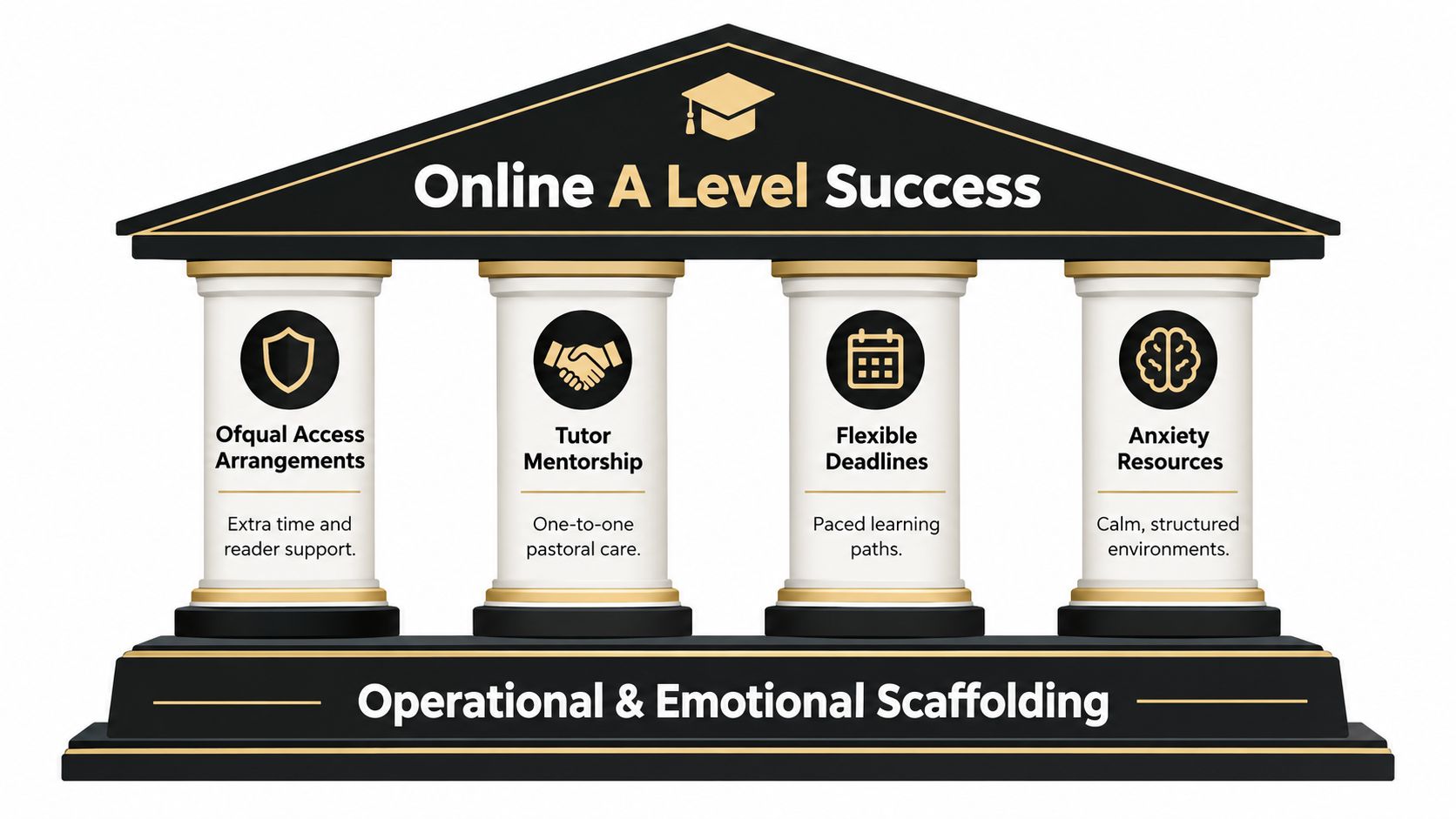
The hardest part of online A level Computer Science is often not the coding. It is the scaffolding around the coding, including clear routines, responsive teaching, appropriate assessment arrangements, pastoral communication and a plan for the days when anxiety makes attendance difficult.
SEN may include diagnosed needs such as dyslexia, ADHD or autism spectrum conditions. SEMH describes social, emotional and mental-health needs, including anxiety, low mood or school refusal. EAL learners may need language support even when their computational reasoning is strong. These categories overlap, but they aren't interchangeable. A screen reader, a quiet routine, vocabulary teaching and a trusted adult each solve a different barrier.
Ofqual explains that access arrangements can include large print, Braille, a reader, a scribe, extra time, supervised rest breaks and word processing instead of handwriting in relevant circumstances. The Ofqual student guide to exams and assessments also makes clear that adjustments change how an assessment is taken, not the assessment demands themselves.
Support must be organised before a crisis
For GCSE, AS and A level qualifications in England, a long-term condition can make an arrangement valid for up to 26 months, while a temporary condition will usually apply for one exam series. A student may receive more than one arrangement, such as 25% extra time plus a computer reader, when the eligibility criteria are met, as explained in Ofqual's access-arrangements background information. The arrangement should reflect the learner's normal way of working, supported by suitable evidence such as an Education, Health and Care plan or a recent assessment.
Practical rule: Ask who gathers the evidence, who submits the arrangement and how the child will practise using it before the examination.
Online delivery can support access needs through recorded lessons, captions, flexible revisiting of explanations and screen-based work. It doesn't automatically solve anxiety. A learner may still feel isolated, avoid logging in or panic when a program produces an error. The school needs a named adult, a calm escalation route and regular communication with parents.
Queen's Online School is described as a Pearson Approved Centre with small groups capped around eight, live lessons, targeted support and a named key worker for SEMH learners. Families should ask how those arrangements operate in practice, how staff record adjustments, whether teachers receive CPD in trauma-informed practice and whether the centre is ready for JCQ inspection expectations. More guidance for families can be found in support for SEN.
Practical Projects That Build Confidence and Skill
A Year 12 learner who hated group work at school might choose to build a revision-planner app independently. Instead of being judged for staying quiet in a group, the student can show progress through a sequence of small decisions, such as identifying the user, setting success criteria, writing an initial design and testing one feature at a time.
That is the value of the A-level practical project. It turns a vague idea into an organised development process:
- Identify a real problem: Speak to a user or stakeholder and understand what they need.
- Set success criteria: Describe what the finished program must do.
- Design a solution: Plan data, algorithms, interfaces and likely user journeys.
- Develop iteratively: Build a workable feature, test it, then improve it.
- Document evidence: Keep notes, screenshots, test results and explanations.
- Evaluate objectively: Explain what worked, what did not and what could be developed next.
AQA describes the project as solving a realistic problem or carrying out an investigation, and treats it as a learning experience as well as an assessment. OCR similarly expects analysis, design, development, testing, evaluation and documentation. A student should feel permitted to encounter bugs. A perfect first attempt often provides less learning than a flawed version that is carefully tested and improved.
Personal problems create stronger motivation
One learner might create a revision planner that sends tasks to a phone calendar. Another might design a wellbeing tracker that records mood alongside sleep and alerts a trusted adult when agreed conditions are met. A younger sibling with additional needs might inspire a small quiz engine with large controls, limited choices and immediate feedback.
These ideas connect programming to lived experience, whether that experience includes neurodivergence, caring responsibilities, a part-time job or frustration with existing tools. Personal relevance can make a long project feel worth returning to after a difficult week. It also gives the student more meaningful material for explaining stakeholder needs and design choices.
Teachers should review milestones regularly, walk through code repositories with the learner and give honest feedback before submission. They must support understanding without taking over the assessed work. If a student wants to explore a related technique such as web scraping using Python, the teacher should help them assess whether it fits the project's purpose, data protection responsibilities and assessment rules.
The best project is rarely the most ambitious. It is the one the learner understands, can test carefully and still cares about when the first version breaks.
University Pathways, Careers and the Right Questions to Ask
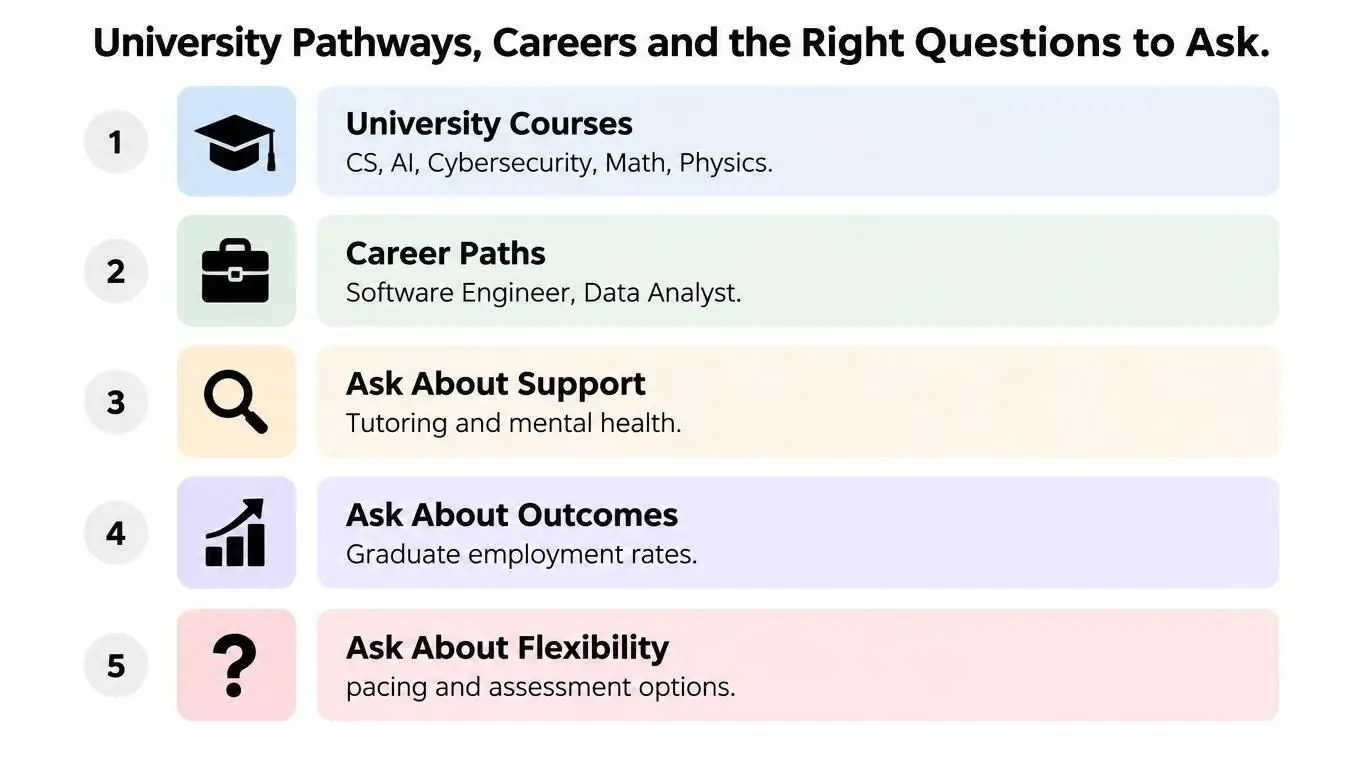
A level Computer Science can support applications for Computer Science, Software Engineering, Artificial Intelligence, Cybersecurity, Mathematics and Physics. The subject can also complement degree-apprenticeship applications, including routes connected with employers such as BT, IBM and the Civil Service.
The qualification doesn't lock a child into one job. A learner who enjoys building systems may explore software development. Someone who likes patterns and evidence may prefer data science. A student drawn to puzzles and protection may investigate cyber security, while another may combine creativity and code through games design. Emerging AI roles also draw on programming, algorithms, data and critical judgement, which is why a project that demonstrates reasoning can matter alongside examination results.
A supportive route should prepare the learner for the next decision, not just the next paper.
Students can gradually build professional habits by explaining design choices, testing assumptions and presenting work clearly. Later, those habits can help with portfolios, university interviews and technical conversations. For a gentle introduction to interview preparation, learners may find this guide to preparing for your technical interview useful, although an A-level student should focus first on understanding their own projects rather than performing advanced interview techniques.
Questions that protect the child's future
Before enrolling, ask the prospective provider:
- Exam-centre access: Is the organisation an approved examination centre, or will the family need to arrange a separate centre?
- Live contact: How many live Computer Science lessons and support sessions does the learner receive?
- Class size: How many students attend each lesson, and how quickly can a teacher respond to a coding question?
- Subject expertise: Does a qualified Computer Science teacher supervise programming and theory?
- Project supervision: How are milestones, testing evidence, documentation and non-exam assessment managed?
- Assessment arrangements: Who organises Ofqual and JCQ access arrangements, and what evidence is required?
- Pastoral support: Who contacts the family if anxiety, absence or low mood begins to affect learning?
- Progression advice: Can the provider explain how the chosen board fits the student's university or apprenticeship plans?
- AI and authenticity: How does the school teach responsible use of coding tools while protecting independent assessment work?
The available information describes Queen's Online School as offering live small-group lessons and operating as a Pearson Approved Centre. Those features address important practical questions about teaching contact and examination access, but every family should still request the current timetable, support policy and board-specific assessment details before making a decision.
A child doesn't need to become confident before beginning. They need adults who notice uncertainty early, explain difficult ideas patiently and create enough structure for confidence to grow.
Queen's Online School offers live, teacher-led A-level Computer Science lessons, small-group learning, recorded sessions and support for students who need a more flexible route. Visit Queens Online School to discuss your child's needs, exam-board pathway and the support that would help them learn with greater calm and confidence.