


Your child may be sitting at the kitchen table with a school timetable open on one screen and a half-finished homework task on the other. They're tired, anxious, or disengaged, and you're wondering whether another term in the same environment will help. At the same time, starting online school raises difficult questions about structure, qualifications, friendships, technology, and whether your family can make the change without creating more pressure.
The practical answer depends on your child, not on a generic checklist. A successful transition gives the learner enough academic challenge to progress, enough flexibility to work in a sustainable way, and enough human support to feel safe and known. The following roadmap focuses on those three needs together, with particular care for children with SEN or SEMH needs, those recovering from a difficult school experience, and families who need a more adaptable education pathway.
Understanding Your Family's Starting Point
At the first meeting, many parents describe the same scene. Their child is capable, but mornings have become a daily battle. Perhaps the child finds crowded classrooms overwhelming, struggles to process instructions at the pace of the group, or experiences anxiety that makes attendance increasingly difficult. Perhaps the family is moving between countries, managing health needs, or trying to protect time for sport, music, or family responsibilities.
The parent often feels two emotions at once: relief that another option exists and guilt about considering a change. Those feelings deserve attention. Online school isn't automatically easier, and leaving a familiar setting can feel frightening for a child who already feels uncertain. The right question isn't, “Can my child cope with online lessons?” It's, “What conditions help my child learn, communicate, and recover confidence?”

Start with the child, not the platform
Before comparing schools, write down what your child needs on an ordinary difficult day. A useful profile might include:
- Emotional safety: Does your child need a calm start, predictable adults, private check-ins, or time to settle before speaking?
- Learning access: Do they benefit from instructions being repeated, work being broken into smaller steps, captions, recorded explanations, or extra processing time?
- Social comfort: Do they participate more confidently in a small group than in a large class?
- Motivation: Are interests such as coding, art, animals, sport, or writing useful entry points for difficult subjects?
- Independence: Can your child organise a task alone, or will an adult need to help them begin, monitor progress, and close the learning session?
A family supporting a child with SEMH needs might discover that the most important feature isn't a recorded lesson library. It may be a named tutor who notices silence, asks a gentle question, and offers a smaller first step. A learner with dyslexia may need accessible resources and clear instructions more urgently than a complex dashboard. Families can use this guide to identifying learning needs to turn broad concerns into specific questions for prospective providers.
Recognise the wider education context
Online education also sits within a wider pattern of home-based learning in England. Elective home education is a long-established legal route alongside formal schooling. After the Department for Education first collected local-authority data in the autumn 2022 school census, an estimated 80,900 home-educated pupils were known to local authorities in October 2022, rising to around 86,200 in January 2023, equivalent to about 1.0% of pupils, according to UK government home-education guidance.
That context can reassure families that choosing learning outside a conventional classroom isn't an unusual failure of the system. It's still a serious decision, and the child's voice should be part of it. Ask what they hope will change, what they fear losing, and what would make the first week feel manageable.
Practical rule: If the proposed online arrangement solves an adult's scheduling problem but leaves the child feeling isolated, overloaded, or unheard, the plan needs revising.
Laying the Groundwork for Your Online School
A good online-school transition begins before enrolment. The family needs a clear decision about the legal arrangement, a curriculum that matches the child's destination, and a learning vision that includes wellbeing rather than treating it as an extra.
Clarify the education arrangement
In England, parents can educate a child at home full-time or part-time. If a child is removed from school completely, the school must accept that change. If a parent wants the child to attend part-time, the school can refuse, and a child subject to a school attendance order requires local council permission before home education can begin. The official elective home-education guidance sets out these distinctions.
That means “online school” can describe different arrangements. Your child might remain registered at a school that permits a flexible timetable, move fully into elective home education while using online tuition, or enrol with an online school that manages teaching and assessment. Don't assume that paying for online lessons automatically resolves registration, attendance, exam, or safeguarding questions.
Speak to the current school and local authority where appropriate, and keep written records of decisions. If your child has an Education, Health and Care Plan, ask how the proposed setting will support the provision described in it. A provider should be able to explain who monitors progress, how concerns are escalated, and what happens if the placement isn't suitable.
Define the destination before choosing subjects
Start with the child's likely next step. A primary learner may need a broad curriculum and confidence with reading, writing, mathematics, and communication. A secondary learner may be working towards GCSEs, preparing for A levels, considering university, or needing a route that protects time for health, performance, sport, or work experience.
Then test each curriculum against four questions:
- Does it match the qualification route? Confirm whether the provider teaches the relevant specification and whether the learner can access examinations through an approved centre.
- Can the pace adapt? A child who needs repetition shouldn't be pushed forward just because a calendar says so.
- How is progress demonstrated? Look for marked work, teacher feedback, regular review meetings, and clear evidence of subject mastery.
- Does it support the whole learner? A timetable should leave space for sleep, movement, social contact, therapy, and interests.
Write a one-page learning vision. Include the child's academic priorities, emotional needs, preferred communication style, independence goals, and a review date. This document prevents the family from choosing a programme because it looks impressive while overlooking whether the child can use it successfully.
Digital certificates can also become relevant when an online school or enrichment programme wants to recognise completed learning outside a traditional exam pathway. Families exploring that option may find these tips for launching digital certificates useful when considering what evidence should be issued, verified, and retained.
Plan the first month, not just the first day
A child who has been anxious about school may not be ready for a full timetable immediately. Agree a gentle start with the provider where possible. Begin with essential live lessons, a short independent task, and one predictable check-in. Add complexity once the child has learned how to enter sessions, find resources, submit work, and ask for help.
Tell your child exactly what will happen if they miss a lesson or become overwhelmed. Knowing there's a recovery plan reduces the fear of making a mistake.
Building a Robust Technical Foundation
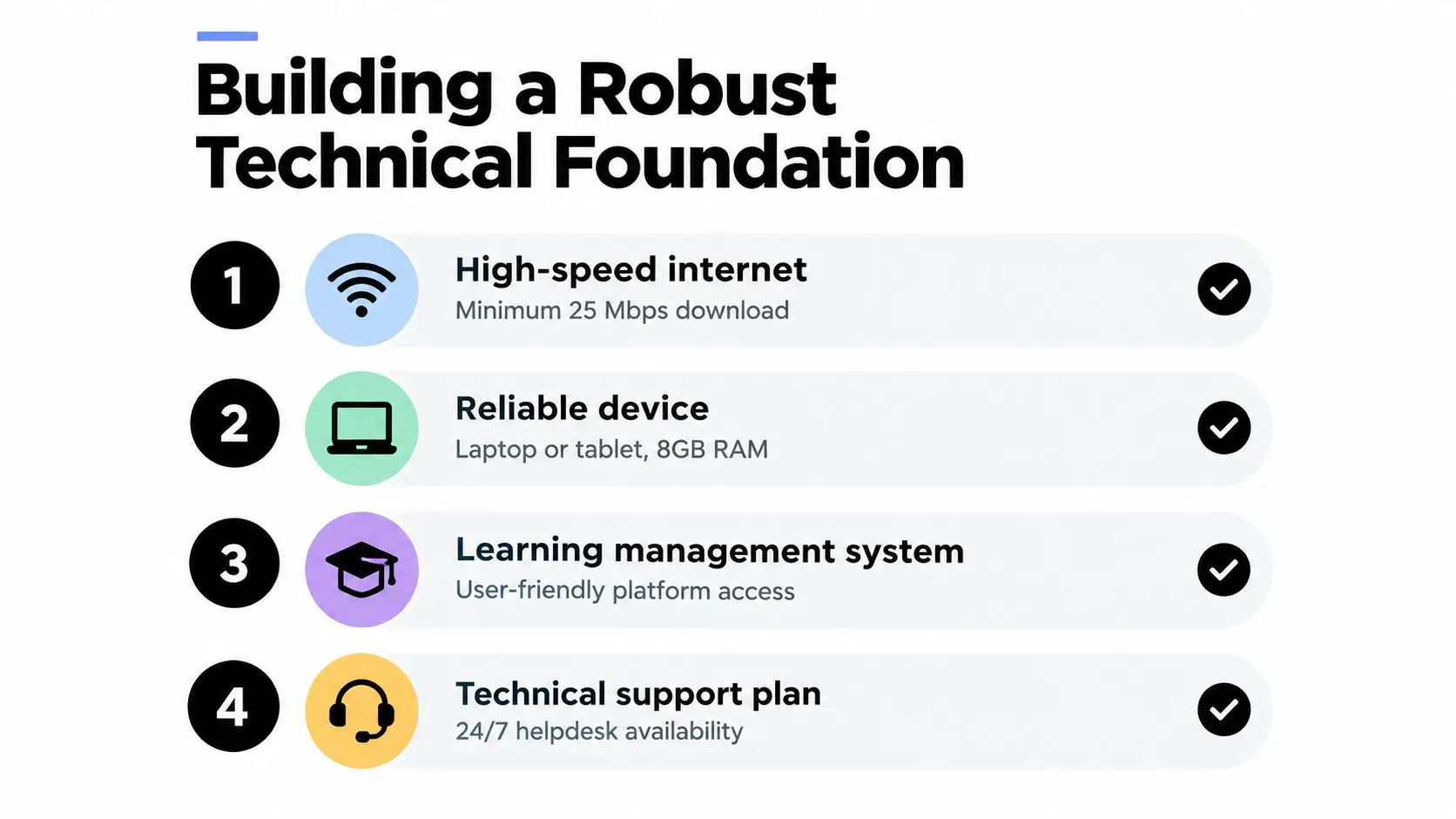
Technology should remove friction, not become another source of stress. A child who spends the first part of every lesson searching for a charger, reconnecting audio, or guessing which platform to open has less attention available for learning. Build the setup around reliability and accessibility before adding clever features.
Choose equipment for the child's real routine
A laptop may suit a learner who writes extensively, uses specialist software, or needs to view several resources at once. A tablet may work for a younger child who benefits from touch interaction, but it can become frustrating for extended writing or examination preparation. Test the device with the actual learning platform before term begins.
Check the practical details:
- Audio: Use a headset if household noise affects concentration, but make sure the child can remove it quickly if it causes sensory discomfort.
- Camera: Position it at eye level and check that the child can be seen clearly without feeling exposed.
- Input: Provide an external keyboard, mouse, stylus, or accessibility switch where it supports handwriting, motor control, or comfort.
- Power: Keep a charger in the learning space and establish what the child should do if the device fails.
- Access: Use separate child and adult accounts, strong passwords, and parental controls appropriate to the learner's age and needs.
The UK government's digital strategy set a target of at least 85% gigabit broadband coverage nationwide by 2025, rising to at least 99% by 2030, a policy direction that supports more households using live digital services. The same strategy records that England became the first country in the world to mandate coding in the primary and secondary national curriculum in 2014, showing how digital skills have moved into mainstream education. These milestones appear in the UK digital strategy.
Make the digital environment predictable
Use one visible weekly calendar. Put live lessons, independent work, breaks, appointments, and social activities in the same place. Create a simple folder system with consistent names, and show the child how to locate today's work without asking an adult every time.
A dedicated area helps, but it doesn't need to be a separate room. A small desk near a window can work if the family agrees when that space is for school and when it can return to ordinary home use. Keep sensory needs in mind. Some children concentrate better with a plain background and reduced noise, while others need movement, tactile objects, or permission to stand.
Schools also need a communication system that includes parents without making the child feel constantly watched. Platforms designed for education or a university communication platform can provide ideas for organised messaging, announcements, and group contact, but the provider should explain which tools it employs and how messages are monitored.
A clear virtual classroom technology setup should include a test call, backup contact method, accessible resources, and a named person for technical problems. Run a rehearsal with the child. Practise muting, raising a hand, sharing work, leaving a session, and reporting an issue. Confidence grows when the child knows the steps before a problem occurs.
Ensuring Quality Through Accreditation and Standards
Parents often use “accredited” as shorthand for “safe and academically sound”, but those are related questions rather than identical ones. Accreditation may indicate that a provider has met a defined standard. It doesn't, by itself, tell you whether the teaching style suits your child, whether pastoral care is responsive, or whether examination arrangements are clear.
The distinction matters because online schools vary widely. Some offer live teaching with subject specialists and regular assessment. Others mainly provide resources for independent study. A child who struggles with executive function, anxiety, or communication may need the former even if the latter looks more flexible on paper.
Ask what the status actually means
Ofsted reported that in 2025 it visited 7 providers under the Online Education Accreditation Scheme, and 3 met the relevant standards for accreditation that year, as recorded in its Online Education Accreditation Scheme report. The scheme is non-statutory but encouraged for eligible providers.
Those figures don't make accreditation a complete quality test. They do show why parents should verify a provider's status instead of relying on a logo or a broad statement about approval. Read the scope of the accreditation and ask what it covers.
Use a provider interview to explore the following:
| Area | Questions to ask |
|---|---|
| Teaching | Who teaches each subject, and how do teachers check understanding? |
| Safeguarding | Who receives a concern, and how are live sessions supervised? |
| Pastoral care | Can the child speak privately with a trusted adult? |
| Assessment | How often is work marked, and how are gaps identified? |
| Examinations | Which qualifications are available, and where will exams take place? |
| Accessibility | How are reasonable adjustments and additional needs supported? |
A provider that answers clearly can explain its systems without becoming defensive. If staff avoid questions about qualifications, safeguarding, complaints, or exam access, treat that uncertainty seriously.
Look beyond certificates
For a learner with SEN or SEMH needs, observe the provider's response to a hypothetical difficulty. Ask what happens if a child stops attending live lessons, refuses to use a camera, becomes distressed in a group, or falls behind with independent work. The answer should include human intervention, communication with the family, and a plan designed for the child, not just an automated reminder.
You can also ask to see an example timetable, assessment report, behaviour policy, safeguarding policy, and complaints process. Confirm whether recorded sessions are available, how long they remain accessible, and whether recording affects the child's privacy.
The practical value of understanding an Ofsted inspection is that it helps families ask more precise questions about evidence, standards, and accountability. Don't choose solely on the presence of accreditation. Choose a provider whose documented practices match the support your child needs every week.
Designing Curriculum and Daily Operations
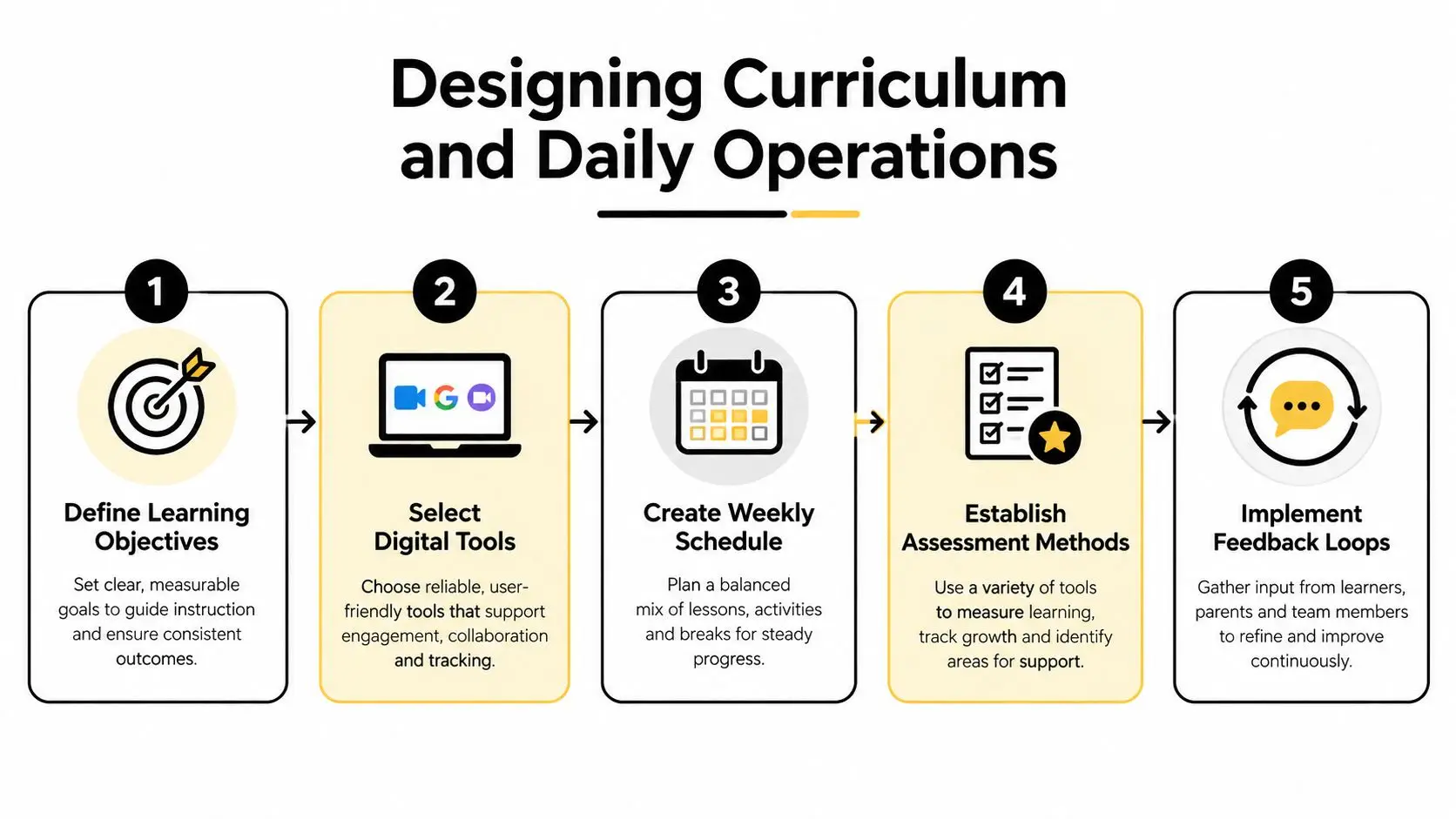
The timetable is where educational promises become visible. A child may need live explanation, quiet practice, movement, conversation, and feedback in the same day. A schedule that fills every hour with video calls can exhaust an anxious learner, while a programme built mostly around worksheets can leave a child without enough guidance to make progress.
Combine live teaching with purposeful independence
Live lessons work best when the teacher does more than deliver information. The teacher should model a process, invite responses, notice misconceptions, and give the learner a clear next action. Independent work then allows the child to practise without being rushed by the group.
A small-group mathematics lesson might begin with a visual example, move into guided questions, and end with each learner solving a problem while the teacher checks their reasoning. A child with working-memory difficulties could receive the instructions in writing, use a worked example, and submit a short explanation instead of completing a long page of similar questions.
Evidence from a Department for Education case-study bundle found that over 92% of learners said their online lessons were interactive, 97% said lessons were well planned, and 95% said staff regularly checked understanding, according to the DfE remote and blended learning case studies. Those findings point towards a practical model: live interaction, deliberate lesson design, and frequent checks are more useful than passive video delivery alone.
Build the week around energy and access
A timetable for a child with SEMH needs may place demanding subjects when concentration is strongest, include movement between sessions, and provide a predictable recovery period after a socially intensive lesson. A learner with sensory needs might benefit from visual warnings before transitions and a choice about camera use where safeguarding and teaching requirements allow.
Review the timetable with the child. Ask which lesson feels easiest to enter, which transition causes tension, and where they lose focus. Use those observations to adjust the routine rather than labelling the child unmotivated.
A workable weekly cycle often includes:
- A clear objective: The child knows what they're learning and why it matters.
- A live explanation: The teacher introduces the idea and responds to questions.
- Supported practice: The learner tries the skill with prompts or examples.
- Independent application: The task is manageable and has a defined finish point.
- A feedback loop: The teacher identifies what is secure and what needs another approach.
Assessment should be light enough to sustain participation but regular enough to reveal difficulty early. A quick oral response, shared whiteboard, short quiz, draft paragraph, or recorded explanation can show understanding without turning every lesson into a formal test.
Adult support at home should also be defined. Parents can help with routine, environment, and communication, but they shouldn't have to become the subject teacher. If a provider expects constant parental instruction, ask whether the programme is genuinely online schooling or a set of resources requiring home teaching.
When volunteers or outside adults support clubs, enrichment, or mentoring, safeguarding checks must be part of the operating model. A resource explaining the purpose of a volunteer background check can help organisers think through screening and record-keeping, although each provider remains responsible for its own safeguarding process.
Fostering Community and Student Wellbeing
A child can attend every lesson and still feel alone. Online school succeeds when the learner has meaningful contact with teachers and peers, opportunities to contribute, and adults who notice changes in mood as well as changes in attainment.
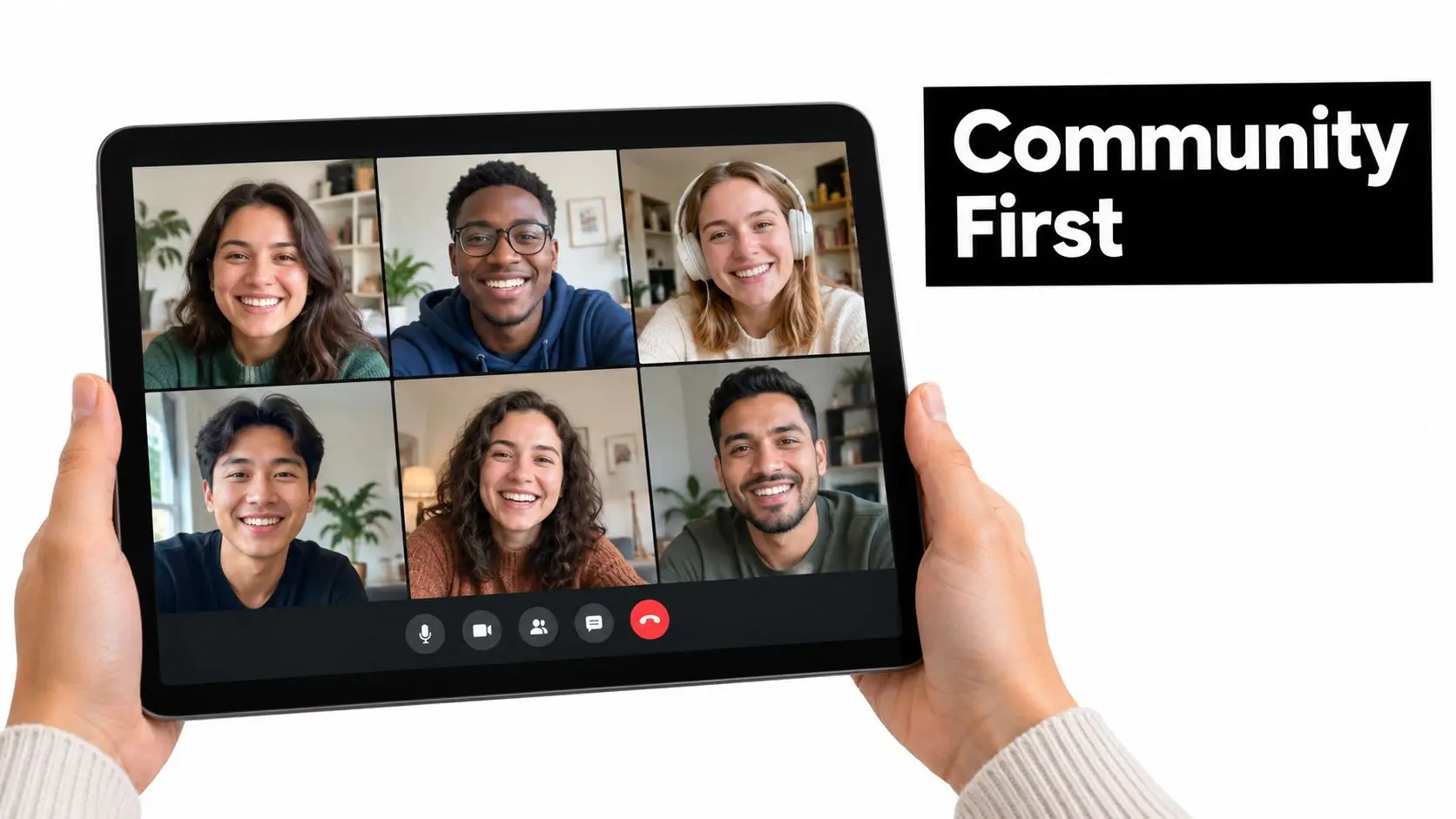
A welcoming community doesn't require constant social activity. A child who finds unstructured conversation exhausting may prefer a guided project, a small interest club, or a short paired task. Another learner may need informal time to chat before they feel ready to participate academically. Offer different routes into belonging rather than assuming every child enjoys the same format.
Make relationships part of the timetable
Build connection into ordinary teaching. Let students collaborate on a presentation, compare solutions, respond to one another's creative work, or work towards a shared project. Staff should learn how each child communicates, including whether they contribute through chat, audio, written work, or a gradual increase in spoken participation.
For families considering an online school, this is also a central part of the value proposition. Parents aren't only looking for lessons. They want to know whether their child will be greeted by name, whether friendship can develop safely, and whether someone will notice when confidence begins to fall.
Use clubs and social events with a clear purpose. A book group can support discussion skills. A coding club can give a quiet learner a way to lead through expertise. A mindfulness session can help students practise recognising tension and settling after a demanding task.
This short video can help families discuss what online interaction may feel like and what support a child might need during group contact.
Protect wellbeing without policing the child
Online-safety guidance states that many wellbeing strategies apply to younger and older children, including those with additional needs. It recommends helping children notice how they spend time across online activities and teaching healthy habits, so emotional safety isn't separated from screen routines. The Keep Your Child Safe Online guide supports this approach.
Create boundaries that the child understands. Agree when school ends, where devices are charged, how breaks work, and who they can contact if a message or interaction feels unsafe. Teach the child to report bullying, exclusion, sexual content, or pressure to share personal information, and make sure adults respond calmly when they disclose a concern.
The most useful wellbeing check may be simple: “What felt heavy today, and what helped?” Keep it separate from performance reviews. A child should be able to say that a lesson was emotionally difficult without hearing that they're failing at online school.
Moving Forward with Confidence
A family may begin with a child who refuses to open a laptop. After several weeks of predictable routines, a smaller class, and patient teacher contact, that same child may start asking questions again. The change usually comes through many modest decisions: a timetable adjusted around energy, instructions made accessible, a difficult subject taught in a different way, and an adult who responds before frustration becomes withdrawal.
Starting online school doesn't mean recreating a traditional school day through a screen. It means designing an education around the learner's actual needs while keeping expectations clear. Confirm the legal arrangement, choose a curriculum with a destination in mind, test the technology, investigate quality standards, and establish how teaching, safeguarding, feedback, and community will work in practice.
Review the arrangement regularly. A child's needs can change after health improves, confidence returns, qualifications become a priority, or independence develops. Flexibility should mean making thoughtful adjustments, not removing structure. The strongest online-school plans are firm about learning and compassionate about the route each child takes to reach it.
Judge success by more than completed tasks. Ask whether your child feels safer, understands what they're learning, can ask for help, and is gradually becoming more able to manage their day. Academic progress matters, but so do curiosity, confidence, trust, and the sense that school is a place where the child belongs.
Queens Online School provides live, interactive British-curriculum teaching, small classes, personalised learning plans, and support for learners with SEN and SEMH needs, alongside GCSE and A-Level pathways through its Pearson Approved Examination Centre. Visit Queens Online School to explore the programmes and speak with a learning adviser about a child-centred route into online education.