

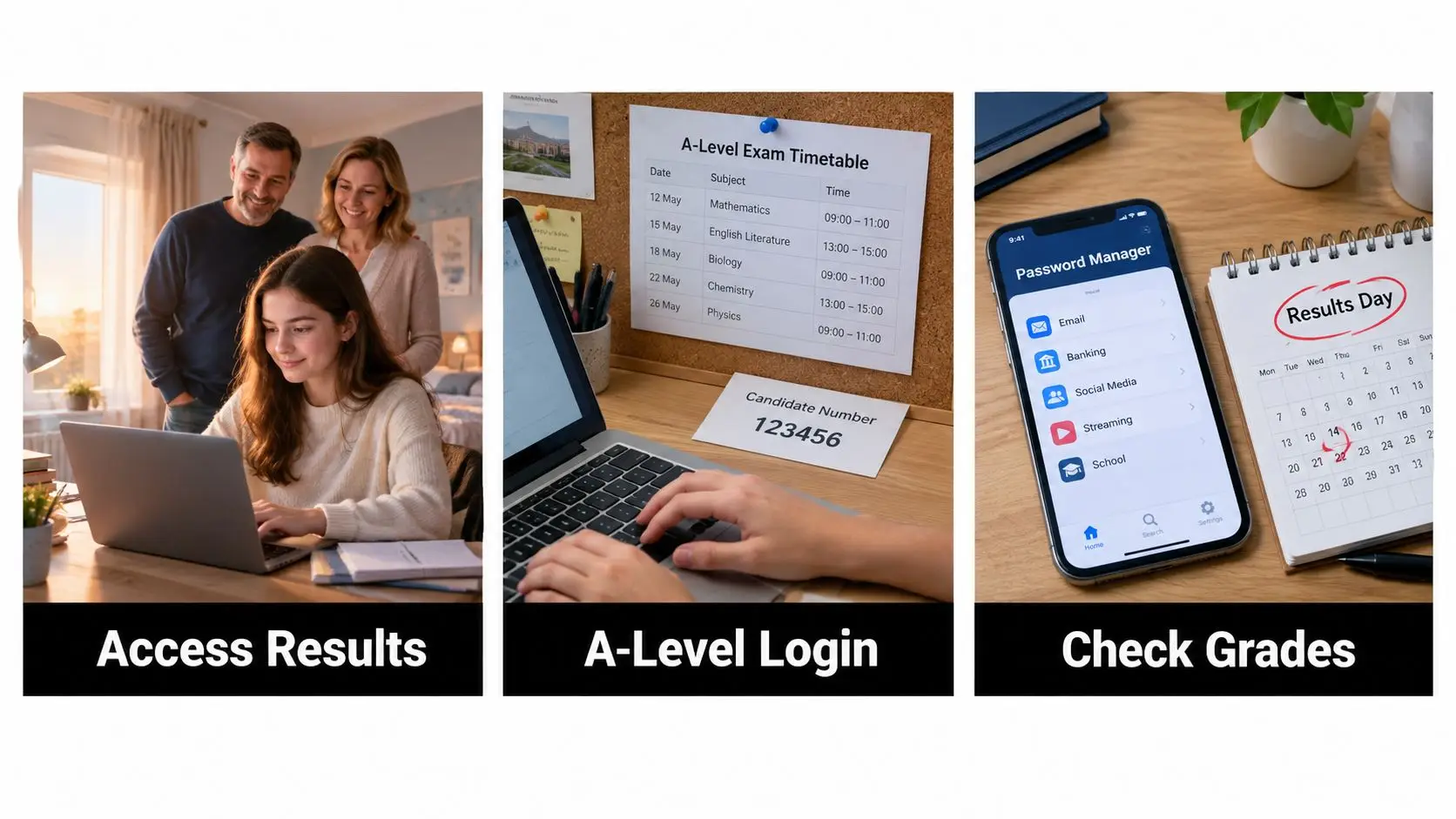
It's the night before results day and nobody in your house is really asleep. Your teenager keeps checking their phone, you keep making cups of tea nobody finishes, and the laptop is already sitting on the kitchen table. That's normal. Knowing how to access A Level results online won't remove the nerves, but a clear plan will stop a forgotten password turning nerves into panic. Decide tonight who'll be in the room, where the login details are, and what happens after the grades appear.
What the Morning of Results Day Really Feels Like
At 7:55 a.m., the house often goes unusually quiet. One parent hovers in the doorway, the other pretends to read the news, and your child stares at a login screen as if looking away might change what's inside it. For a young person who's linked these grades to a university place, a gap year, or their own sense of worth, that screen carries far more than data.

Put the child in charge of the small choices first. Ask on the night before, "Do you want me beside you, in the next room, or would you rather open them alone and call me in?" Respect the answer even if you'd choose differently. A teenager with anxiety, dyslexia, ADHD or sensory needs may want the statement read aloud slowly, printed in larger text, or opened without siblings filming the reaction for social media.
A staged morning works better
Don't treat the portal, UCAS, group chats and family phone calls as one rush. Open the results, save them, breathe, eat something, then move to the next screen. That order protects your child from making a permanent-sounding judgement about themselves in the first shaky minute.
Your job this morning isn't to fix the future before breakfast. It's to keep the room calm enough for your child to think.
For example, a family might agree that Mum sits nearby but doesn't touch the mouse, Dad waits downstairs, and nobody texts relatives until the student says it's okay. Another student might want a trusted tutor on standby by phone. Both plans can work because both were chosen by the young person opening the result.
Key Dates, Release Windows and the 2026 Calendar
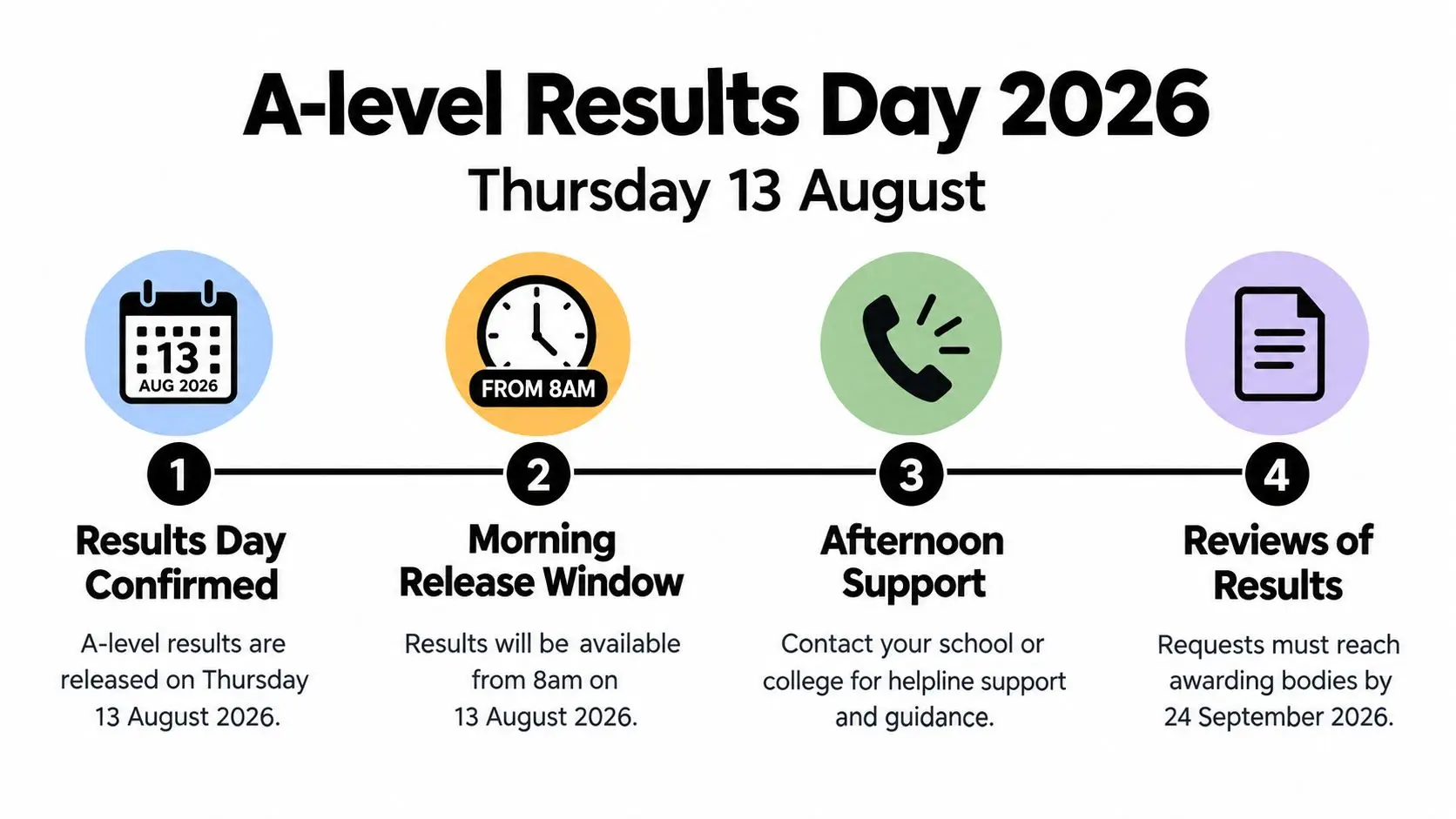
Write Thursday 13 August 2026 on the family calendar now, because UCAS confirms A Level Results Day 2026 falls on that date. Most school or college portals release statements from about 8 a.m., and UCAS Hub updates around a similar time. Your centre's exact time controls your morning, so confirm it directly rather than relying on what a friend's school does.
The timeline below shows the shape of the day, from the morning release to later support and review deadlines.
Scale explains why systems can feel slow. In the 2025 summer series, 864,810 AS and A Level results were released on 14 August for 313,190 students, and the average student took 2.60 A levels, according to the Department for Education summary of qualification results in England for summer 2025. When that many families log in at once, a short queue usually means heavy demand, not bad news hiding behind a loading screen.
Exam-office staff can view results before candidates because centres need time to check releases and prepare support. That doesn't mean staff are withholding your child's grades for fun. Wait for the candidate release time, then log in once and give the page time to load.
This short video is useful to watch together before the day, when you can pause it and talk through your own timing.
Remember that the online screen is a provisional statement, not the final certificate. Certificates come later through the centre or awarding body, which is one more reason to save the first statement carefully.
Getting Your Login, Candidate Number and Portal Access Ready
Online access in England is centre-led, not a public national lookup. Your school, college or exam centre supplies the route in, usually with a username, password, candidate number or one-time authentication step. If you remember only one rule, remember this one, because searching for a generic national grades database wastes the most anxious minutes of the morning.
These four steps show where your details come from and the order to sort them in.
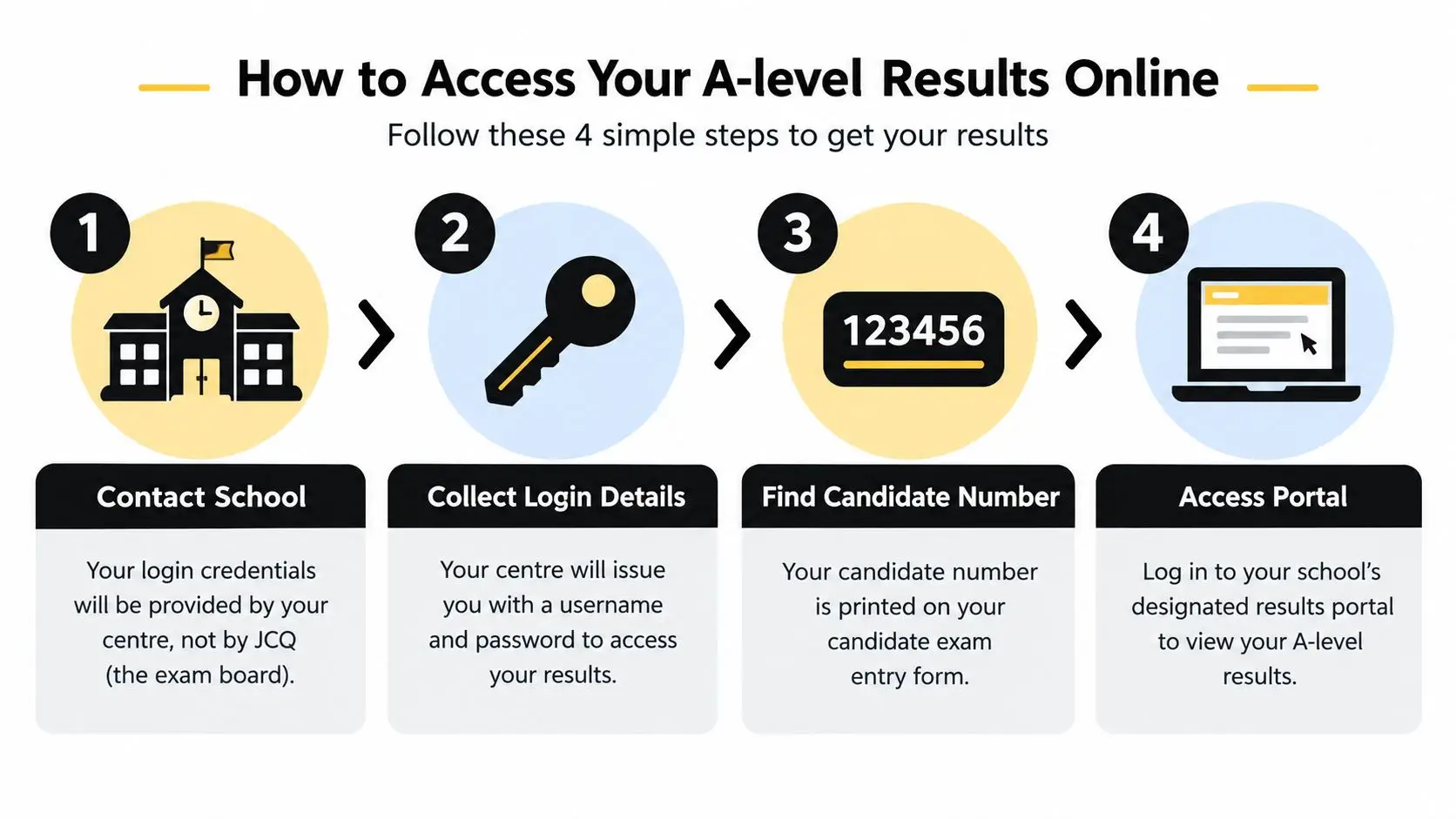
Do the preparation in the final week, not at dawn. Test the login, check the password works, and confirm which adult at the centre to contact if the account isn't enabled. Trying too early, mistyping the candidate identifier, or using an old school email address are common reasons families get locked out.
- Collect every credential: Save the username, password, candidate number and authentication instructions in a password manager your child can reach without asking you to hunt through emails.
- Name your backup contact: Write down the exams officer's name, email and phone number on paper, because paper still works when a portal doesn't.
- Test on the actual device: Use the laptop or phone you'll use on the day, with a current browser and a stable connection.
Don't contact JCQ for a missing login. JCQ states it does not hold individual candidate results, so it can't retrieve personal grades from a central database for you. Your centre remains the correct route for missing credentials, discrepancies and replacement documents.
Cambridge International routes candidate access through the exams officer too, so centre setup is a prerequisite, not an optional extra. For online learners, Queens Online School provides a parent portal for grades, attendance, assignment completion and progress updates, which is a different thing from the official exam statement itself. Whatever system your family uses day to day, ask the centre which screen counts as the official release.
Reading Your Online Statement and Saving It Safely
When the grades appear, slow down before you celebrate or spiral. Read across each row in order, checking the subject, qualification code, grade and, where shown, mark or uniform mark scale information. Then check the boring details that matter later, including the spelling of your child's name and their candidate details.
Save first, interpret second
Download the statement as a PDF if the portal allows it. If it doesn't, take a clear screenshot showing the full page, date and candidate details. Store one copy on the device and another in secure cloud storage or email it to a parent account, because some portals are available only for a limited period.
Practical rule: Nobody closes the results tab until the statement exists in two places.
Verification matters because each grade belongs to a separate entry and awarding organisation. In England's 2025 exams there were 821,875 A Level entries, down 0.4% from the year before, with mathematics producing 104,630 results, psychology 72,930 and biology 65,355, as shown in the Department for Education infographic data for Level 3 and A Level results in 2025. With several subjects on one screen, it's easy to miss that a component is pending or a subject you expected isn't listed.
For example, if your child sat biology, psychology and history but only two rows appear, save what's there and contact the exams officer straight away with the screenshot. Don't assume a missing row means a failed paper. Processing delays and pending components need a centre check, not guesswork at the kitchen table.
If a grade sits near a boundary and you're trying to understand how close it was, use this guide to A Level grade boundaries after you've saved the statement. Treat national outcomes only as background. Your child's personal statement and the awarding body's documents are what count.
How to Handle the Emotional First Hour After Opening Results
I'm going to be direct. Opening UCAS within seconds of seeing grades is a mistake for most teenagers. Their hands may be shaking, they may misread a grade, and the first emotional wave, whether joy or grief, makes careful reading harder. Give the first hour a shape your child already knows, so nobody has to invent coping strategies while upset.

Start with the body, not the browser. Put the kettle on, get water and food, step outside for air, and let your child cry, laugh, go quiet or phone one trusted person. If panic rises fast, simple grounding techniques for anxiety can help a teenager settle their breathing and attention before any decision is made. A parent saying, "We're proud of how hard you worked, and we'll work out the next step together," lands better than an instant lecture about backup plans.
Guidance for the 2026 cycle indicates results may be available through a school portal from about 8 a.m. while UCAS Hub also updates around that time, and it recommends testing the portal beforehand and arranging a calm adult check-in, as set out in Prospects guidance on what to do on A Level results day. Use that check-in properly. Agree a simple rule such as no big decisions before 10 a.m., write down first reactions instead of acting on them, and let your child decide when they're ready for the next login.
Then check UCAS Hub calmly
Most A Level results are sent directly to UCAS by awarding organisations and then passed to university or college choices, so your child doesn't usually upload grades manually. When you do sign in, you're mainly checking whether the firm choice has confirmed, whether the insurance choice has become the destination, or whether the application is still waiting for a decision. Screenshot the status page once it loads.
If the firm place is confirmed, celebrate, then read any instructions from the university before contacting accommodation or family. If the insurance choice confirms, give your child space to feel both relief and disappointment, because both can be true at once. If neither confirms, Clearing is the route to look at available places, but don't let a tearful teenager accept the first course name they see just to end the uncertainty.
A short delay on UCAS doesn't signal rejection. Thousands of students refresh at the same time, and decisions can update during the morning. Wait, check again at an agreed time, and contact the university directly only if there's a clear mismatch between confirmed grades and the decision shown. Keep the saved statement open beside you so any phone call uses exact grades, not panicked memory.
For a child with SEN or SEMH needs, reduce the number of transitions. One familiar adult, one device, one room, and one step at a time is kinder than a crowd giving overlapping advice. If your child needs the UCAS page read aloud, enlarged, or explained in plain language, do that without embarrassment. Access is not just technical. It's emotional and practical too.
What to Do When a Grade Looks Wrong or Unexpected
An unexpected grade feels like a disaster at 8:05 a.m. Treat it as a problem to evidence, not a verdict on your child. In England, the official route begins with the school or college, not Ofqual, and GOV.UK explains how centres request a review of a qualification result. Private candidates contact the awarding body directly or through the centre that entered them.
Your first move is simple. Save the statement, note exactly which subject or component looks wrong, and contact the exams officer or tutor promptly. Ask what the centre's internal deadline is, what evidence supports a review, and whether a clerical check or review of marking is appropriate. A calm email with the candidate number and saved statement attached gets a better response than a distressed message with no details.
Talk through the risk before you consent. A reviewed grade can move up or down, and a fee may apply if the grade doesn't change. For a teenager clinging to a university offer, that conversation needs honesty and tenderness in equal measure. Ask, "If it stays the same or goes down, how will you feel, and what will we do next?"
Appeals aren't rare or futile. Official 2024 to 2025 statistics recorded 1,930 appeals, with 1,095 upheld (56.6%), and GOV.UK guidance on appealing to Ofqual after a review explains the later stages. Ofqual's Examination Procedures Review Service isn't a second re-mark. It checks whether the awarding organisation followed its procedures, and it normally considers a case only after the awarding organisation's final appeal stage, with a request normally due within 15 working days of that decision.
Keep every result email, review outcome and date in one folder from day one. If reasonable adjustments or special consideration were involved, keep that correspondence too and tell the centre why it matters. For the fuller sequence, read this step by step guide to appealing exam results before your centre deadline passes.
Your Pre-Results Checklist and a Calm Close
Print this list or screenshot it in the final week. Tick items off together, then stop fiddling with the plan. A child who watches adults rehearse calmly is more likely to borrow that calm on the morning itself.
- Confirm the release: Centre name, release date, exact portal time and exams officer contact are written in one place.
- Test the login: Username, password, candidate number and authentication step have been tried on the actual device.
- Agree the room: Your child has chosen who'll be present, who waits elsewhere, and when relatives get news.
- Prepare the save: You know how to download a PDF or screenshot, and where the second secure copy will go.
- Stage UCAS: Login details are ready, but UCAS comes after food, water and a pause.
- Know the fallback: You understand that reviews start with the centre and that deadlines are tight.
If your child wants to translate grades into points while comparing options later in the day, the UCAS Tariff points calculator gives you one place to check the numbers without doing shaky maths on a sticky note. Use it after the statement is saved and the first feelings have been heard. Numbers are useful servants on results day, but they're poor comforters.
End the night before with words your child can carry into the morning. Try, "Whatever that screen says, you are loved, we are on your team, and there will be a next step." Mean it. Grades open doors and sometimes close them, but they don't measure kindness, courage or the whole of a young person's future. Your steady presence is the part they'll remember long after the portal password is forgotten.
If your family wants British curriculum A Level study online with live subject-specialist teaching, small classes and structured support for learners including those with SEN and SEMH needs, Queens Online School can help you plan the next stage with confidence. Visit us to explore flexible online GCSE and A Level pathways, exam centre support and a calmer route toward university.