


Your child is at the kitchen table, headphones on, while you hover nearby wondering whether they're learning or spending another morning in front of a screen. The lesson appears lively, but the important question is harder to answer: what does an interactive online class feel like for the child taking part?
A good live lesson isn't a video played beside a worksheet. It's a relationship with a teacher, a chance to speak, a safe place to make mistakes, and a carefully planned sequence of explanations, questions, practice and feedback. It can support a child who needs flexibility, a teenager who struggles with school attendance, or a family looking for a structured British education from outside the UK. It can also fail when the provider mistakes a polished platform for effective teaching.
What an Interactive Online Class Actually Feels Like for Your Child
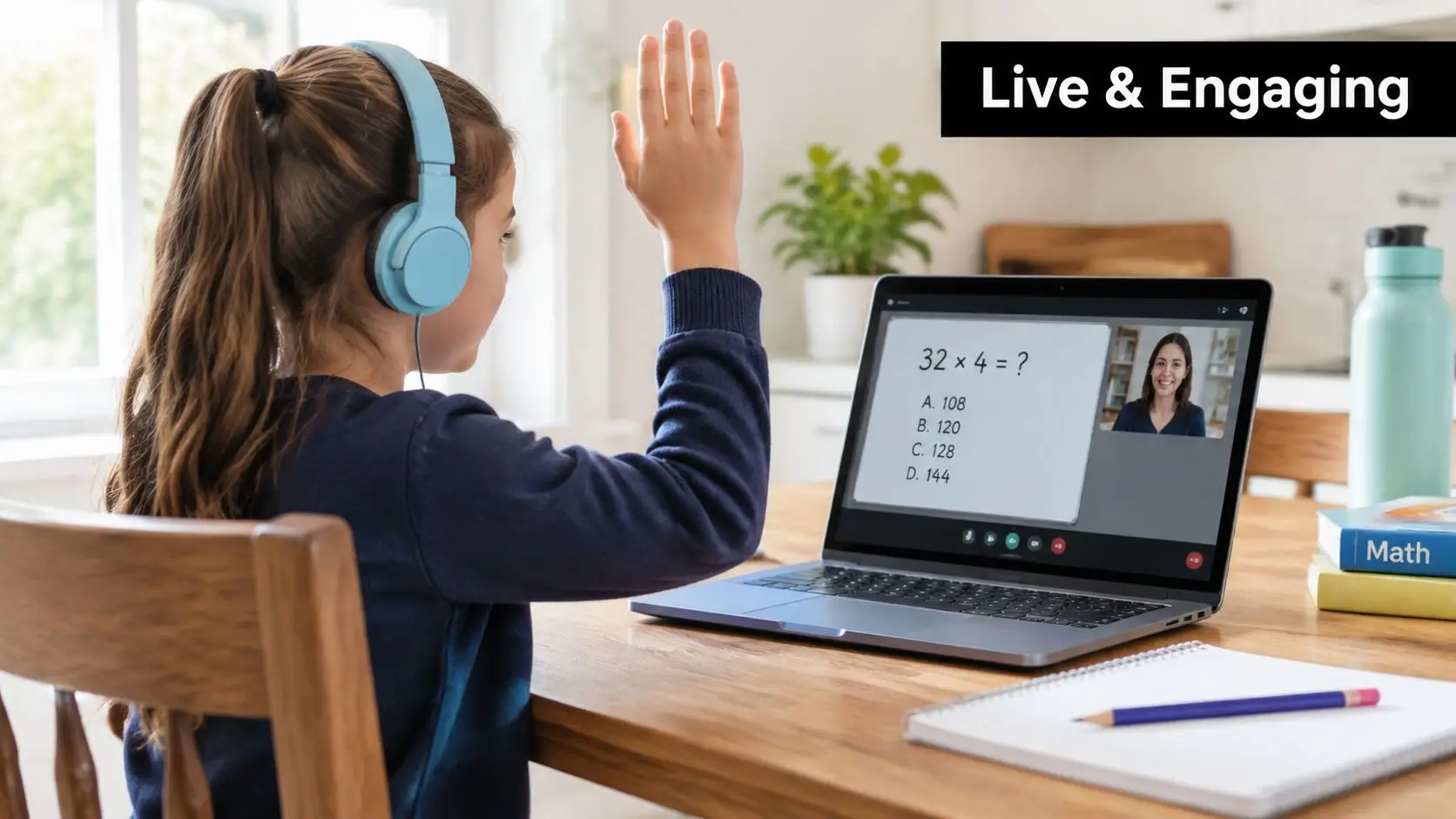
A Year 5 pupil sits at the kitchen table with a maths book open beside the laptop. The teacher is explaining equivalent fractions, and the child is trying to decide whether to type an answer, speak aloud or use the digital hand icon. A moment later, the teacher invites them in. Their answer is slightly wrong, but the teacher asks a follow-up question rather than moving on.
The child watches a classmate's explanation on the shared whiteboard. Then pupils move into small breakout rooms to solve another problem. The teacher visits each room, listens for misconceptions and brings the class back together with a short correction. There's concentration, a little nervousness, some laughter and the ordinary relief of discovering that other children also get answers wrong.
From emergency measure to normal learning route
Remote schooling expanded unevenly during the first year of COVID-19 disruption in England, but it became a major part of delivery. By May 2020, the share of primary pupils doing no online classes had fallen to 30%, while the figure for secondary pupils had fallen to 28%. Around 20% of secondary pupils spent more than four hours a day in online learning, compared with about 8% of primary pupils, and only 7% of students received at least one online teaching lesson every day, according to this UK overview of online learning and classroom statistics.
Those figures show both sides of the story. Interactive online classes moved beyond a temporary backup, but children experienced them very differently depending on age, school phase, access and teaching design. A live timetable alone never guaranteed a settled, confident learner.
By the early 2020s, online learning had become a mainstream part of UK learning culture. A 2022 UK survey reported that 28.97% of respondents preferred watching videos online and 28.48% preferred an online course. The same source reported that online classes used about 90% less energy per student than in-person learning, as summarised in this UK virtual learning statistics guide.
For your child, test isn't whether the school uses video conferencing. It's whether they feel noticed, challenged and supported during the lesson.
A useful starting point: Ask your child, “What did you get to do in the lesson?” rather than, “Did you attend?”
Defining Interactive Online Classes and How They Work
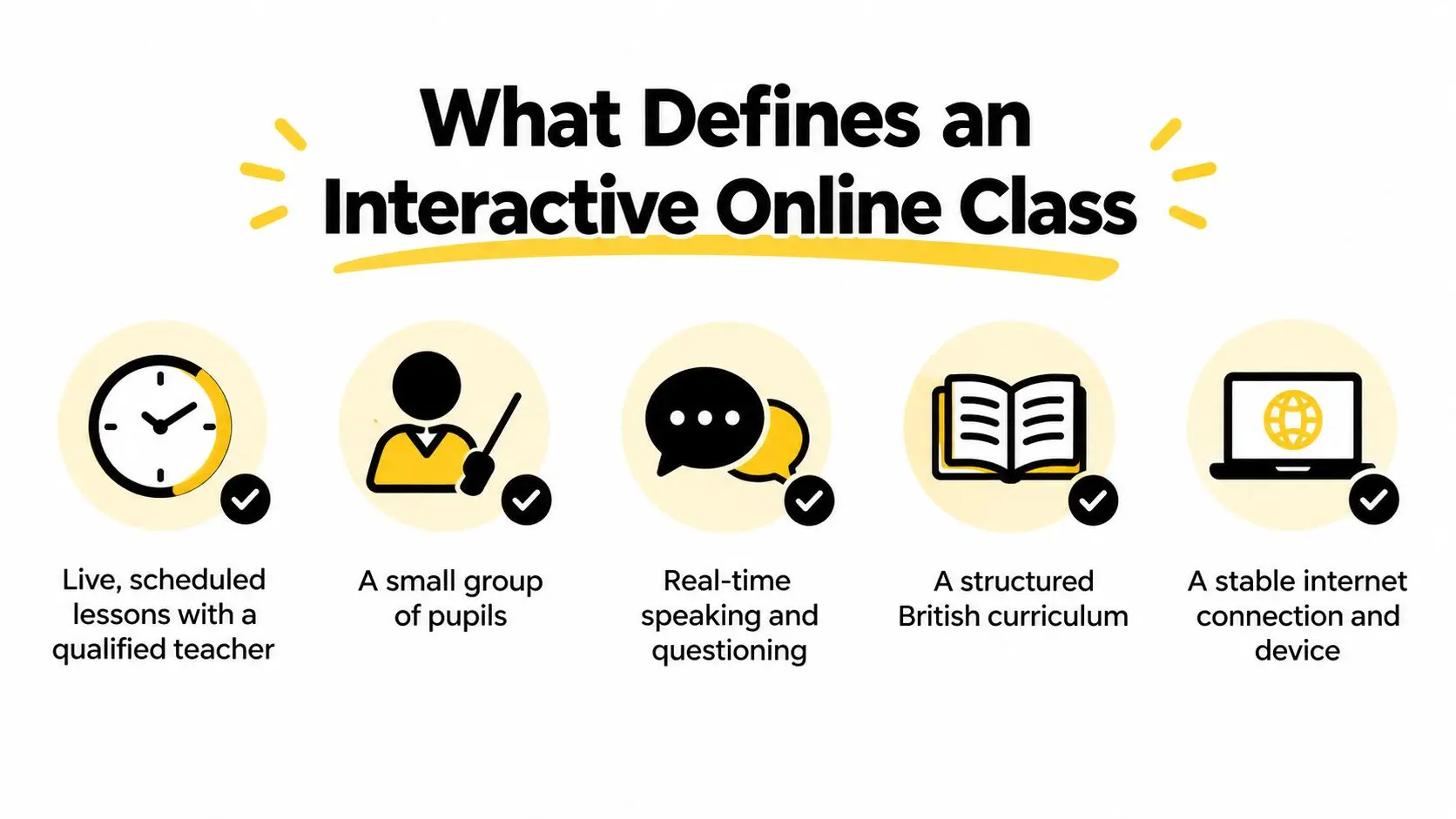
An interactive online class is a live, scheduled lesson led by a teacher, usually with a small group of pupils following a planned curriculum. Children can hear and, where appropriate, see the teacher. They can ask questions, respond to prompts, share work and receive feedback while the lesson is happening.
A recorded video course can explain content. It can't notice that your child has misunderstood the denominator, gone quiet after a difficult question or started copying an answer from the chat. That human response is the feature that matters most.
Five things to look for
- Live teaching: A qualified teacher is present at a fixed time, explains ideas and responds to pupils in the moment.
- A small group: Your child has a realistic opportunity to speak. A large webinar may be live, but it isn't necessarily interactive.
- Two-way communication: Pupils can use speech, chat, polls, digital hand-raising or shared workspaces rather than only watching.
- A structured curriculum: Lessons build towards clear knowledge and skills, often within a British curriculum framework.
- Reliable access: The child needs a suitable device, stable internet connection and a quiet enough place to listen and respond.
The technology should support the teaching, not dominate it. A virtual whiteboard might display a pupil's working. A breakout room might allow paired reasoning. A recorded replay might help a child revisit a difficult explanation. Marked work should show the learner what to improve next, not record a score.
For older learners, the same principles apply to subjects such as English, sciences and exam preparation. A useful guide to online English for professionals also illustrates the wider principle that speaking practice works best when learners actively use language, rather than only watching it.
You can also examine how a provider explains its virtual classroom technology. Look past lists of features and ask what the teacher does with them. A poll that produces no discussion is decoration. A breakout room without a clear task is unstructured time.
A simple parent test
Before enrolling, ask the provider to describe one ordinary lesson. Who speaks first? How does the teacher check understanding? What does a pupil do if they're confused? How is written work submitted and marked? If the answer is mostly about software rather than teacher actions, you may be looking at a content library with a timetable attached.
The Interaction Patterns That Make Live Lessons Stick
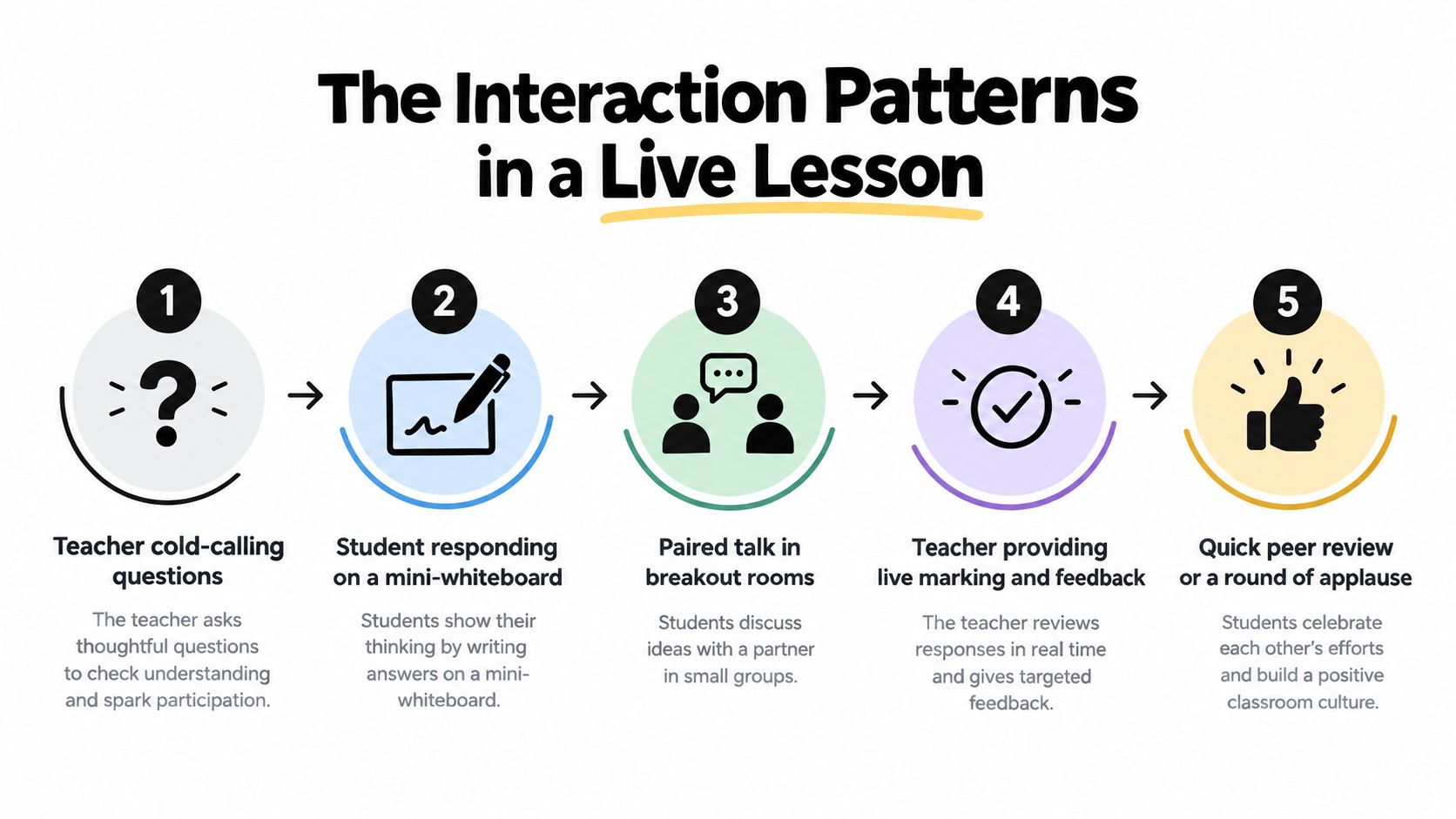
A live video call becomes a lesson when the teacher creates a repeated cycle of question, response, feedback and another attempt. Children need more than a chance to unmute. They need carefully designed invitations to think.
A maths teacher might begin with a quick retrieval quiz on yesterday's method. Pupils answer privately or on mini-whiteboards. The teacher scans the responses, identifies a common error and adjusts the explanation. Later, the teacher cold-calls a pupil, gives everyone time to think and accepts spoken, written or visual responses.
What consistent interaction looks like
- The teacher asks a precise question. It might test recall, reasoning or application. A clear question gives a child something specific to think about.
- Every pupil prepares an answer. Mini-whiteboards, polls or chat responses prevent the same confident pupils from doing all the thinking.
- Pairs or small groups rehearse ideas. A breakout task gives a hesitant child a lower-pressure opportunity to practise before speaking to the full class.
- The teacher responds to the evidence. Live marking and verbal feedback show pupils why an answer works or where their reasoning needs changing.
- The class tries again. A second question, short quiz or exit response reveals whether the explanation has helped.
Why live delivery isn't enough
UK remote-education guidance defines synchronous learning as a teacher being present live with learners through video conferencing or instant messaging. Its evidence review found no clear difference in learning outcomes between synchronous and asynchronous modes. The stronger influence was the quality of the pedagogy, including task design, interaction and feedback, as set out in the UK evidence review of online and blended delivery.
That distinction matters. A child can attend every live lesson and still make little progress if the teacher talks for most of the session, asks few questions and returns work without useful comments. Conversely, a well-chosen recording can help a pupil pause, replay and practise independently.
UK remote-learning reporting found that pupils valued seeing and interacting with teachers and receiving immediate feedback. Synchronous teaching also increased from a low base during the first lockdown to about 70% later in the period, while mixed models combining live and pre-recorded content were often judged more effective operationally, as described in this UK remote-learning thematic report.
The pattern to look for: live explanation, active response, immediate correction, then replay or independent practice.
For more on belonging and participation, this guide to social interaction in online learning can help parents assess whether a provider has designed a community, rather than scheduled calls.
Real Classrooms, Real Children, Real Differences
The same live lesson can feel completely different to three pupils. Maya, Sam and Leah may be looking at the same presentation, but their teachers need to offer different routes into the learning.
Maya is a confident Year 5 learner. She enjoys being asked a question without warning and likes holding her answer up on a digital whiteboard. During a science lesson, she explains why a prediction changed after an experiment. Her teacher pushes her further with a “why” question, then asks her to listen carefully to another pupil's reasoning. At home, Maya doesn't just report that science was “fine”. She tells you which prediction was challenged and tries to explain the result over dinner.
Access must be designed, not assumed
Sam is in Year 4 and has dyslexia and ADHD. A long block of spoken instructions can disappear before he has begun the task, so his teacher provides guided notes, reads key instructions aloud and allows dictation software for written responses. Before a breakout discussion, Sam receives a short pre-read and a clear role, such as finding the evidence that supports an answer.
The content hasn't been lowered. The route has been adjusted. Sam may contribute through speech, a typed response or a dictated sentence, depending on the demand of the task. The small win at home might be subtle: he opens his book without a long argument, remembers one key idea and asks whether he can finish the diagram before lunch.
Leah is in Year 9 and experiences school refusal linked to social, emotional and mental-health needs. On Tuesday morning, she joins with her camera off. Her teacher doesn't turn that into a public confrontation. A pre-arranged check-in confirms that she's present, and Leah first responds through emoji-stamped chat, then writes a short answer and eventually speaks privately to the teacher.
Safety and trust come before performance
Leah's progress may begin with staying in the room, not answering every question. A quiet side channel, predictable routines and a trusted adult can reduce the emotional load enough for learning to start. Parents looking for a broader discussion of children's wellbeing can consult this Children Psych online classes study, while remembering that individual support should be based on the child's needs rather than a generic online-learning formula.
The Ofsted guidance on remote education and SEND acknowledges that some children and young people with SEND can benefit from remote learning, but it doesn't provide comparative evidence about the best staffing models or accommodations. That leaves providers with a responsibility to explain how they personalise support in practice.
For younger children, the wider balance matters too. The UK Education Committee concluded that screen-time harms outweigh benefits for young children, and recommended minimal screen time for younger children, with older children balancing it against face-to-face socialisation and physical activity, as stated in its report on screen time and children.
What Parents Should Look For in a Provider
The platform matters less than the adults using it. A basic video system can support an excellent lesson when the teacher knows the pupils, plans active responses and follows up on misunderstanding. An expensive platform can still produce passive learning if children spend most of the time watching.
Questions worth asking before payment
Start with the people and the daily experience:
- Who teaches my child? Ask about Qualified Teacher Status, subject specialism and experience with the relevant age group.
- What happens if my child freezes? Look for private prompts, alternative response modes and a clear pastoral route.
- How do you support SEN and SEMH needs? Ask whether staff have relevant training and how individual adjustments are recorded.
- How is work marked? You should hear how teachers give useful feedback on written work, not only how the platform stores submissions.
- Can I observe a lesson? A taster should reveal the pace, class culture, teacher presence and expectations around cameras and microphones.
- How do families receive progress information? Reports should help you understand what your child knows, what they're practising and what support may help.
A provider should also protect childhood. Ask how the timetable leaves room for sleep, movement, family life, friendships and interests. Homework should have a clear purpose and a manageable place in the week. Recordings can support catch-up and revision, but they shouldn't become an excuse for cancelling live teaching or expecting children to work alone indefinitely.
Oak National Academy and BBC Bitesize are listed UK remote-education resources. Oak offers video and interactive lessons from Reception through Year 11, showing how age-banded content can be organised for online use, as outlined in this overview of SEN websites and remote-learning resources. A content resource can be useful, but it isn't the same as a school that knows your child and takes responsibility for progress.
What a real school does differently
A school has routines for attendance, safeguarding, assessment, communication and support. It knows who will contact you when a child stops participating. It can explain how a teacher moves from a live explanation to independent practice, how pupils receive feedback and how families can raise concerns.
For GCSE learners, ask how lessons connect to examination practice. A resource such as Exam Practice for GCSE may help pupils rehearse exam-style work, but practice only becomes meaningful when a teacher diagnoses errors and teaches the next step.
Queens Online School is one example of a provider offering live interactive lessons, subject-specialist teachers, small classes, recorded sessions and a British curriculum from Key Stage 2 through Sixth Form. It also operates as a Pearson Approved Examination Centre and provides support for learners with SEN and SEMH needs. Parents should still ask direct questions and judge whether its approach fits their child.
Credentials and Safeguards Worth Checking
Credentials don't replace a warm teacher or a well-designed lesson, but they help you distinguish a school from an attractive collection of videos. Ask for evidence in writing, then check that the answer matches what happens during a taster session.
| Credential or Safeguard | What Good Looks Like | How to Verify |
|---|---|---|
| Pearson Edexcel exam centre status | The provider explains how GCSE or A-Level candidates are entered, supported and examined. | Ask for its current centre status and examination arrangements. |
| DfE registration | The provider clearly explains its legal status and the education it delivers. | Request the relevant registration details and check the provider's published information. |
| ISI or Ofsted inspection | The provider shares an inspection report and explains any recommendations. | Read the report on the relevant inspection body's website. |
| Teacher qualifications | Staff have appropriate teaching qualifications, subject knowledge and experience with the child's phase. | Ask who teaches your child and what qualifications they hold. |
| Safeguarding leadership | The provider names a Designated Safeguarding Lead and explains how concerns are reported. | Request the safeguarding policy and escalation route. |
| DBS checks | Staff who work with children complete appropriate checks before teaching. | Ask how checks are managed and whether the policy covers contractors and substitutes. |
| Online conduct and anti-bullying policy | Rules cover chat, breakout rooms, recording, respectful communication and reporting. | Read the policy and ask what happens after an incident. |
| GDPR and data handling | The provider explains what it collects, why it collects it and where data is stored. | Request its privacy notice and data-processing information. |
| Recording retention | Families know when recordings are made, who can access them and when they're deleted. | Ask for the retention period and access controls. |
Look beyond the certificate
Inspection evidence about remote teaching quality tells you more about daily experience than a badge on a homepage. So does the proportion of teaching delivered live rather than pre-recorded, provided the provider explains how recordings support revision rather than replace interaction.
Safeguarding should include more than passwords. The school needs clear expectations for cameras, private messaging, pupil conduct, bullying, emotional distress and contact with adults. Online learning also requires emotional care. The British Psychological Society notes that recognising the emotional impact of material is a useful starting point, and recommends content notes and signposting to mental-health support where appropriate, as explained in its guidance on emotions in distance learning.
Listening to Your Child When the Lessons Begin
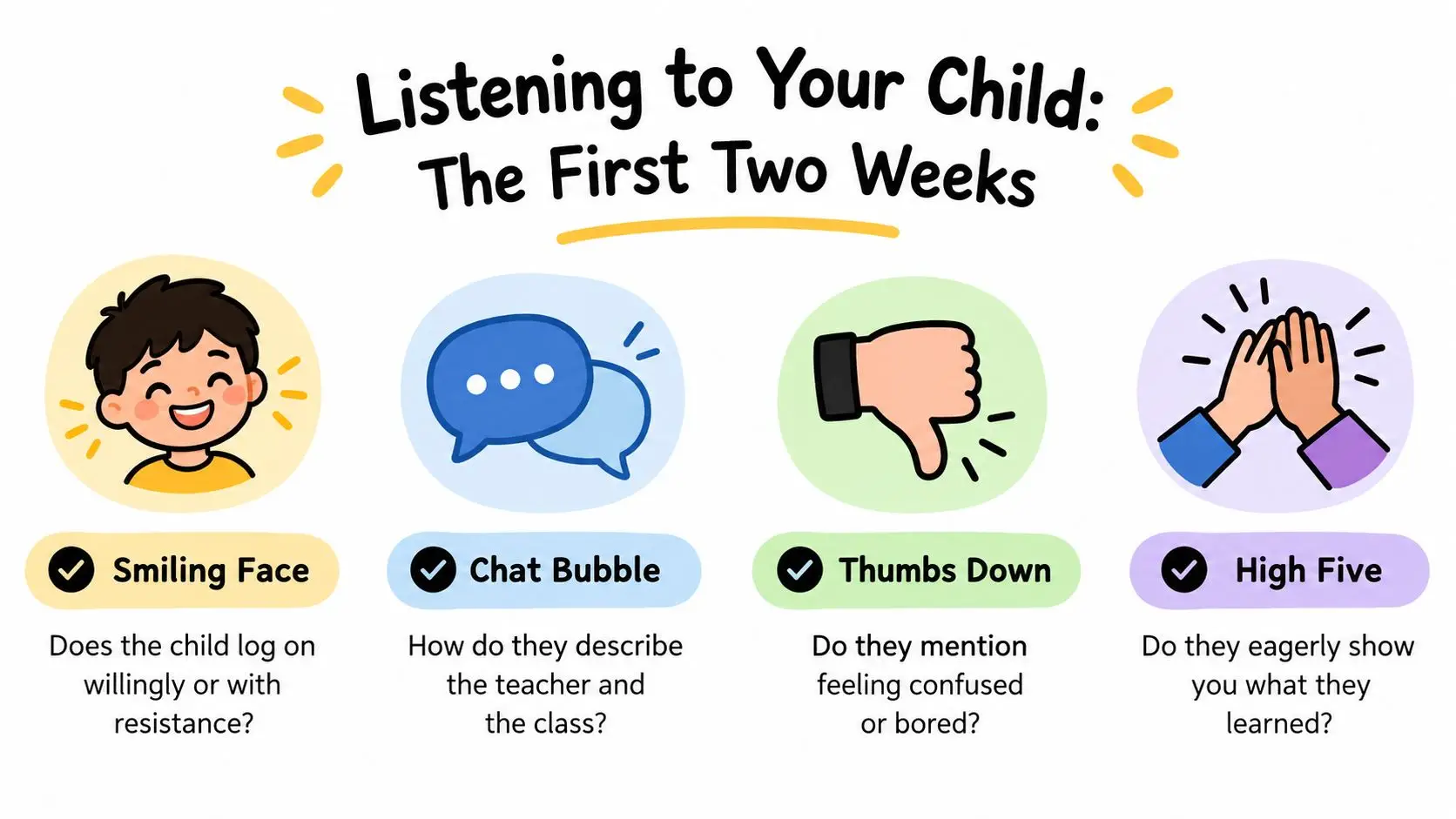
Treat the first two weeks as a listening window, not a final verdict. A child may need time to learn the platform, recognise the teacher's routines and discover where they feel comfortable speaking.
Watch what happens before and after lessons. Does your child log on willingly, or do they avoid opening the laptop? Do they describe a particular moment, such as a teacher laughing kindly when they made a mistake, or do they mention only tired eyes and confusion? A worksheet completed on time can't tell you whether the child felt safe enough to ask for help.
Ask questions that open the conversation
Try questions such as:
- “Which part felt easiest today?”
- “When did you feel stuck?”
- “Who spoke during the lesson?”
- “What did the teacher do when someone got an answer wrong?”
- “Would you rather answer by speaking, typing or showing your work?”
A sibling remark, a bedtime aside or sudden willingness to revise the next morning can reveal more than attendance figures. Share those observations with the school. If your child contributes well in chat but avoids speaking, the teacher may adjust the response route. If they become distressed during breakout rooms, the group arrangement or preparation may need changing.
For practical support with communicating concerns, use this guide on how to ask for help. The goal isn't to make every lesson effortless. Children need challenge. They also need to believe that confusion is temporary and that an adult will notice when they need help.
Listen for detail: “I learnt how to compare fractions” tells you more than “It was fine.”
The lesson belongs to the child who experiences it. Their confidence, curiosity and willingness to return tomorrow are among the clearest measures of whether the online classroom is working.
Practical Questions Parents Still Ask
How much screen time is reasonable? There isn't one suitable amount for every child. A Key Stage 2 pupil may need shorter teaching periods, movement, outdoor time and practical activities, while a Key Stage 4 learner may spend longer in structured study. Live teaching is different from unsupervised browsing because an adult is directing attention and checking understanding, but breaks and physical activity still matter.
Can online learners achieve GCSE and A-Level qualifications? They can, when teaching, assessment and examination arrangements are properly organised. Ask whether the provider has Pearson Edexcel exam centre status, how candidates are entered and whether it publishes clear information about grades and progression. Don't accept broad promises without evidence.
What if the first lesson goes badly? Find out what caused the problem. Your child may need a different group, a quieter response method, clearer instructions or a conversation with the form teacher. Pause and ask for an adjustment before withdrawing.
What should I check for safeguarding? Ask about DBS checks, a Designated Safeguarding Lead, child-protection procedures, online conduct rules and alignment with Keeping Children Safe in Education 2024. Request the written policies rather than relying on reassurance during a sales call.
What about enrichment? Ask whether pupils can join clubs, trips, residential experiences, leadership activities or social events. A full education includes belonging and interests beyond lessons.
Can a family abroad return to the UK system? Ask how the curriculum maps to UK year groups, how records transfer and how examination entries work. A clear admissions and transition process matters more than a vague statement about international access.
| Question parents ask | Evidence to request from the provider |
|---|---|
| How are lessons made interactive? | A sample timetable, lesson description or taster session showing pupil response and feedback. |
| How will my child's progress be tracked? | A sample report, assessment process and explanation of parent communication. |
| How are SEN or SEMH needs supported? | The inclusion process, adjustment examples and named staff responsible for support. |
| What happens after an absence? | Recording access, catch-up arrangements and teacher follow-up. |
| How are exams handled? | Pearson Edexcel centre information, entry arrangements and examination guidance. |
| How is my child kept safe online? | Safeguarding, anti-bullying, online conduct, privacy and recording policies. |
Queens Online School offers live, interactive British-curriculum classes with subject-specialist teachers, small-group participation, recorded sessions and pathways from Key Stage 2 through A-Level. Visit Queens Online School to explore the virtual classroom and ask whether its approach matches your child's learning, wellbeing and examination needs.