

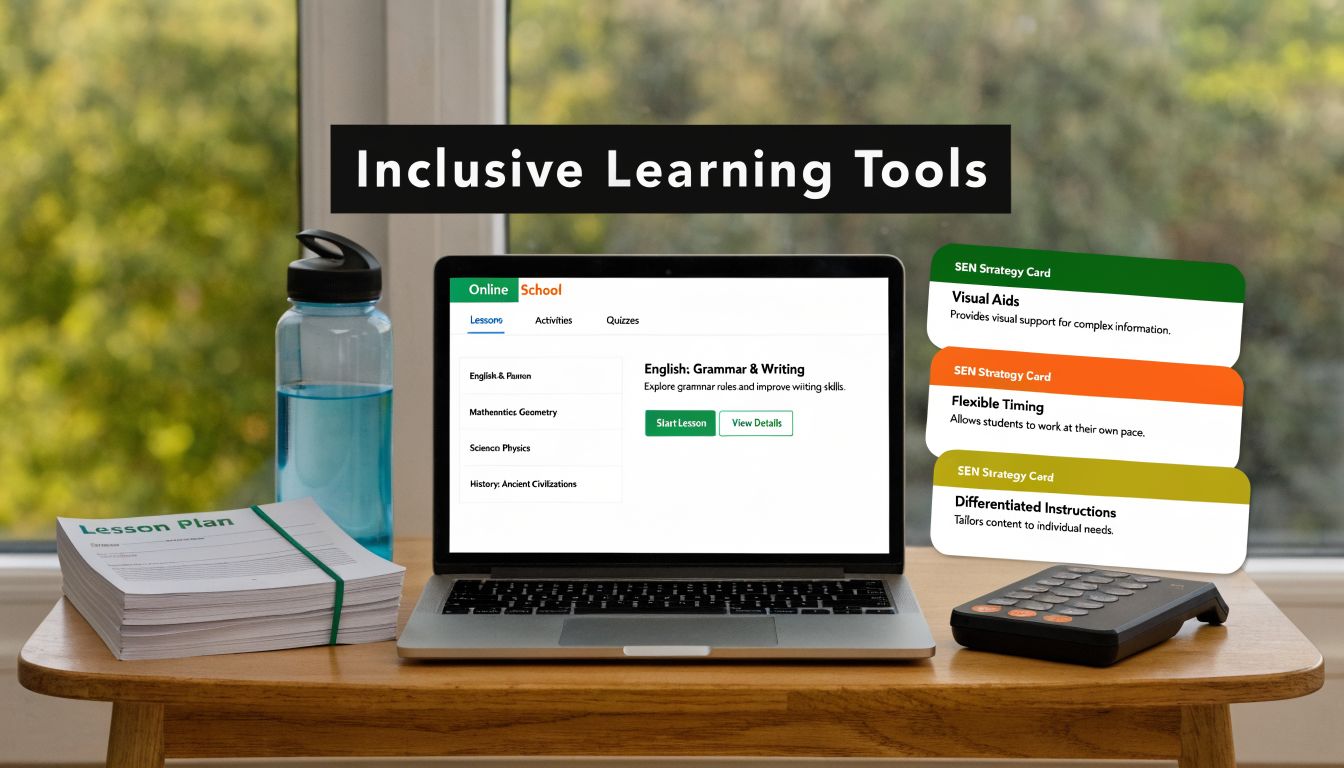
A parent signs in ten minutes before the lesson, already bracing for trouble. Yesterday their child left maths halfway through, closed the laptop, and later said the work felt like too much all at once. On the other side of the screen, a teacher is checking who needs captions, who needs shorter instructions, and who is coping without drawing attention until the lesson tips them into overload.
This tension defines the challenge of inclusive education.
Children need access, challenge, dignity, and a genuine sense of belonging at the same time. In practice, families and schools are often piecing that together from disconnected tools. One resource supports reading. Another helps staff record adjustments. Another helps with emotional regulation or home-school communication. Used in isolation, each may help. Used as a joined-up system, they give a child a far better chance of succeeding online.
The pressure on schools and families is not theoretical. As noted earlier, a substantial share of pupils in England are identified with special educational needs. That shows up in daily decisions, not just policy documents. Parents are chasing updates, repeating their child's needs to new staff, and trying to work out whether a difficult lesson was a one-off or a sign that support is not working. Teachers are balancing the needs of the whole class while trying to make the lesson reachable for the child who cannot process five spoken instructions in a row.
Inclusive education resources matter most when they are organised as an ecosystem around the child.
Some resources reduce barriers before a lesson even starts. Some help pupils communicate, regulate, read, write, or demonstrate understanding in a different way. Others keep adults aligned, meet legal duties, and make it more likely that support remains consistent across subjects, staff, and home routines. In an online school, that joined-up approach matters even more because the barriers are different. Platform access, camera fatigue, typing load, sensory overwhelm, and reduced informal check-ins can all get in the way before teaching has had a fair chance to work.
The sections that follow group resources by job, not by trend. That makes it easier for school leaders, SENCOs, teachers, and parents to choose what solves the actual problem in front of them, and to build an inclusive toolkit that works in real online classrooms.
1. Universal Design for Learning Framework and lesson plans
If a lesson only works for the pupils who can listen, read quickly, write fast, and cope with uncertainty, it isn't inclusive. UDL fixes that at the planning stage.
A strong UDL lesson gives pupils more than one way to access information, more than one way to respond, and more than one reason to stay engaged. In an online classroom, that can mean a live explanation, a recorded replay, visual cues on slides, a scaffolded worksheet, and a short verbal check-in for the child who freezes when asked to type in the chat.
What it looks like in practice
A science teacher covering forces might provide written instructions, a model video, and an interactive simulation. In English, the same text can be available as a printed passage, an audiobook segment, and a visual summary. That doesn't lower expectations. It removes unnecessary barriers so the child can focus on the learning itself.
In online settings, recorded lesson alternatives matter. Some pupils need to pause, rewind, or revisit language after they've regulated. Others can answer orally instead of through extended writing, especially when working memory or dysgraphia gets in the way.
Practical rule: Build choice into the lesson before a pupil asks for rescue.
Start small. Audit one class, not your whole curriculum. Look at where pupils get stuck. Is the barrier language density, pace, too many steps, unclear success criteria, or social pressure? Then redesign that part first.
Useful starting points include:
- Representation choices: Offer text, visuals, and teacher modelling for the same concept.
- Response choices: Let pupils show understanding through speaking, typing, drawing, or structured bullet points.
- Engagement choices: Use timed chunks, predictable routines, and clear success markers for pupils who become overwhelmed by open-ended tasks.
What usually doesn't work is bolting adjustments on at the end. When staff treat UDL as “extra differentiation”, they often produce more paperwork and less access. The better approach is leaner planning with more intentional options built in from the start.
2. Assistive Technology and accessibility tools for online learning
A Year 7 pupil logs into a live lesson, understands the topic, and still cannot keep up. The teacher is speaking quickly, the slides are dense, and the chat is moving faster than the pupil can process. In an online school, that barrier shows up within minutes. The right assistive tool can remove it just as quickly.

Assistive technology matters because it changes what a child can do in the moment. A pupil with dyslexia may access the same lesson independently through text-to-speech. A pupil with motor difficulties may draft a strong answer through dictation. A deaf pupil may follow live teaching more securely with captions, transcripts, and visual cues that are planned in advance rather than added halfway through.
The online context changes the decision-making. Schools are not just choosing a tool. They are building an access system across live teaching, recorded content, assignments, quizzes, and home support. A captioning app that works in a video call but fails inside the assessment platform will create new problems. A speech-to-text tool that handles everyday language but struggles with science vocabulary will limit progress in exactly the subjects where precision matters most.
That is where many schools get it wrong. They buy software first and test workflow later. In practice, the order needs to be reversed. Start with the barrier, then check compatibility, training time, device access, and whether the pupil will use the tool across the school day.
A workable setup often includes:
- Literacy access: Text-to-speech, reading rulers, and vocabulary support available in every subject, not only in intervention sessions.
- Written output: Speech-to-text for drafting, followed by structured editing so pupils still learn sentence control and subject-specific writing.
- Hearing access: Live captions plus checked transcripts for core explanations and replayable teaching clips.
- Visual and attention support: Reduced screen clutter, predictable layouts, chunked instructions, and one clear action at a time.
- Recording adjustments clearly: Access arrangements and classroom supports linked to the pupil's plan, using examples like these individualized education plan examples so staff know what consistent implementation looks like online.
Trade-offs matter here. Auto-captions are fast, but they are not always accurate. Dictation can increase output, but some pupils then need explicit teaching to review punctuation and organise ideas. Screen readers can open access, but they also require staff to upload properly formatted documents. The tool is only one part of the provision.
For schools evaluating transcription software options, the essential test is classroom performance. Can it handle overlapping speech, weak microphones, and subject terminology during a live lesson? If not, the transcript may increase confusion rather than access.
A short demonstration can help families understand what good support looks like in action:
Implementation decides whether assistive technology helps or sits unused. Pupils need guided practice, adults need troubleshooting routines, and every tool needs a backup for the days when the platform fails. In the strongest inclusive systems, assistive technology is not a separate add-on. It is one part of a connected ecosystem that keeps the child learning when the online environment would otherwise shut them out.
3. IEP and assessment tools for digital platforms
A plan sitting in a folder doesn't change a child's day. A live, shared system can.
Digital IEP platforms help teachers, parents, SENCOs, and specialists work from the same picture. That matters in online learning, where support can easily become fragmented across live lessons, independent tasks, intervention sessions, and home routines. The pupil feels that fragmentation first. One teacher allows extra processing time, another forgets, and a third doesn't even know the target.
The difference between paperwork and usable planning
Good digital systems show who is responsible for each adjustment, when it should happen, and what progress looks like. A parent can see whether a communication goal is being practised outside speech sessions. A subject teacher can log that a pupil answered better orally than in writing. A SENCO can spot a pattern across subjects before frustration turns into refusal.
That's especially important when formal processes are under pressure. EHCP assessments can take up to 20 weeks, which is one reason schools need effective internal support systems rather than waiting for external paperwork to solve everything.
A child shouldn't have to fail repeatedly before adults join the dots.
In practice, quarterly reviews tend to work better than annual surprises. They're frequent enough to catch drift but manageable enough for busy teams. Dashboards can help, but only if staff use common language and update records consistently.
For parents looking at what meaningful targets and accommodations can look like, these individualized education plan examples give a clearer picture than vague promises about personalised learning.
A useful platform should allow teams to:
- Track targets clearly: Keep academic, communication, regulation, and independence goals visible.
- Record accommodations consistently: Show exactly what support should happen in lessons and assessments.
- Share evidence easily: Capture teacher notes, parent observations, and specialist input without endless duplication.
- Flag concerns early: Identify when attendance, task completion, or emotional presentation begins to shift.
What doesn't work is overcomplicated target writing. If a classroom teacher can't understand the adjustment in ten seconds, the child probably won't receive it reliably.
4. Professional development modules for SEN and inclusive teaching specialisation
A Year 8 pupil logs into an online lesson with the camera off, gives one-word answers in chat, then disappears before independent work begins. An untrained teacher may read that as poor motivation. A trained teacher asks different questions. Is the reading load too high? Did the instructions arrive in too many formats at once? Is anxiety rising because the pupil cannot process the task quickly enough in front of peers?
That difference in interpretation is why staff development matters so much in inclusive online schooling.
The strongest modules change day-to-day teaching decisions, not just staff awareness. Training on dyslexia should affect font choice, chunking, vocabulary pre-teaching, and how long a pupil is expected to sustain silent reading on screen. Training on autism should shape sensory expectations, transition warnings, and the way teachers phrase correction in live lessons. Training on SEMH should help staff spot early signs of overload and respond with calm structure rather than public pressure.
Online settings raise the stakes. Teachers have fewer incidental cues, fewer chances for informal checks of understanding, and more reliance on platforms that can either reduce barriers or create new ones. Staff need practice with both the pedagogy and the medium.
Whole-school coverage matters too. Inclusive systems break down when specialist knowledge sits with one SENCO or support team while subject teachers, tutors, pastoral leads, and technical staff work from different assumptions. In practice, the child experiences that mismatch as inconsistency. One lesson feels accessible. The next does not.
A useful training pathway usually has three layers:
- Core induction: SEND foundations, safeguarding, reasonable adjustments, digital accessibility, and family communication expectations.
- Role-specific training: Subject-based adaptation, exam access arrangements, behaviour support, sensory needs, and platform troubleshooting.
- Coaching and review: Staff test one change, bring pupil evidence, discuss what worked, and refine it with colleagues.
That final stage is the one schools often skip.
One annual training day rarely changes practice on its own. Staff need examples from real lessons, short feedback loops, and time to correct mistakes without feeling judged. We have found that the most effective sessions use anonymised case studies from actual online classes, because teachers can see the trade-offs clearly. A strategy that supports one pupil's processing needs may slow lesson pace for the wider group. A strong training module addresses that tension directly and shows staff how to adapt without lowering ambition.
Training should also cover the systems around teaching, not only the lesson itself. If staff are using AI-supported tools, captioning software, accessibility checkers, or adaptive platforms, they need clear guidance before leaders expect consistent use. Confidence grows when schools introduce one tool well, with agreed routines and boundaries, rather than rolling out five at once and hoping staff will work it out.
It also helps to borrow disciplined improvement habits from outside education. Teams that evaluate CPD using structured reflection forms, common observation criteria, and patterns drawn from mastering enterprise web accessibility and from work on using structured research data collection tools tend to make sharper decisions about what training is changing classroom practice and what is merely sounding good on paper.
What does not work is treating inclusive teaching as a specialist add-on. It is a teaching standard. When training is specific, repeated, and tied to real pupils in real online classrooms, children feel the improvement quickly.
5. Digital accessibility compliance tools and standards
Some barriers are invisible until the wrong child hits them. An unlabeled button. A worksheet that can't be read by a screen reader. A homework PDF that looks tidy to staff but is unusable to a pupil relying on keyboard navigation.
Accessibility standards matter because inclusion isn't only relational. It's technical too.
Compliance protects access
WCAG 2.1 AA is a practical benchmark for digital environments. It helps schools think beyond intention and into usability. Can a pupil use the platform without a mouse? Can they understand content when colour isn't the only cue? Can captions, headings, alt text, and document tags do the quiet work that allows independent access?
In online schooling, compliance needs to reach everything the child touches. Website pages, parent portals, lesson slides, recordings, quizzes, PDF packs, and external apps all count. One inaccessible element can break the learning sequence.
A sensible routine includes:
- Vendor checks: Put accessibility requirements into contracts before purchase.
- Content training: Show staff how to create accessible slides, documents, and video materials.
- Regular audits: Test with screen readers, keyboard-only navigation, and real users.
- Rapid reporting: Give families a clear route to flag barriers and get a response.
Non-negotiable: If access depends on a work-around every single lesson, the system still isn't accessible.
Many schools leave accessibility to IT teams. That's a mistake. Teachers choose file types, layout, contrast, and instructional design every day. Leadership needs standards, but teachers need habits.
For teams trying to tighten web and platform access, guidance on mastering enterprise web accessibility can help frame the operational side. Still, the true test is always the pupil experience. If a child can't get into the learning quickly and independently, compliance on paper hasn't translated into practice.
6. Classroom adaptation and differentiation strategy libraries
When a child is struggling, staff often ask for “more strategies”. That's understandable, but not always precise enough. What they usually need is the right adaptation for the right barrier.
A differentiation library gives teachers ready-to-use responses. Not generic advice. Specific moves. Chunk the task. Pre-fill key terms. Use a graphic organiser. Offer a model answer. Reduce copying from the board. Build in retrieval before new content. Replace a broad essay prompt with sequenced questions.
Matching the adaptation to the learner
A pupil with executive functioning difficulties may need a checklist and a visual timeline. A pupil with ADHD may cope better with five-minute task bursts and explicit transitions. A pupil with processing difficulties may answer more successfully when given skeleton notes in advance.
The danger is over-accommodation. If every difficulty leads to easier content, pupils can end up protected from challenge instead of supported into it. Strong differentiation keeps the cognitive demand while adjusting the route.
That distinction matters in online learning, where digital tools can tempt adults to over-scaffold. A child who receives every answer structure, every prompt, and every reminder may look successful for a week, then fall apart when independence is required.
A practical staff bank should include:
- Attention supports: Timed chunks, visible agendas, and one-screen task design.
- Language supports: Vocabulary previews, sentence stems, and dual coding.
- Organisation supports: Checklists, exemplars, and staged deadlines.
- Response supports: Oral answers, reduced transcription load, and alternative formats.
For families and teachers wanting a clearer explanation of how this works in classrooms, this guide on what differentiated learning means in practice is a helpful reference point.
What works best is collecting adaptations that have already helped real pupils in your setting. The most useful strategy library isn't the biggest one. It's the one staff open and trust.
7. Family engagement and communication platforms
Parents of children with additional needs often carry a second job. They decode school messages, chase updates, prepare their child for transitions, explain meltdowns, and try to hold family life together after the laptop closes.
That's why family communication is one of the most important inclusive education resources. It isn't an optional extra. It's part of the support system.

What good communication feels like to a family
A strong platform doesn't bombard parents with notifications. It gives them clarity. Weekly summaries, direct messaging for agreed concerns, visible targets, shared routines, and practical home strategies usually work far better than long reports sent too late.
This matters in mainstream inclusion as well as specialist provision. As of 2023, 82% of children with EHCPs were educated in mainstream settings, based on the Department for Education legal and SEN framework summary. That means many families are navigating complex support inside ordinary school routines. Communication has to bridge that complexity.
The strongest systems set boundaries as well as access. Parents need to know where to find lesson information, how quickly messages will be answered, and when a concern should be escalated. Staff need protected time and consistent channels.
Good platforms often include:
- Shared visibility: Parents can see upcoming work, support plans, and progress notes.
- Two-way messaging: Concerns can be raised early, before they become complaints.
- Resource libraries: Families can access regulation strategies, routines, and explanations of school processes.
- Translation and clarity: International families need plain language and accessible terminology.
What doesn't work is reactive communication that only appears when something has gone wrong. Families notice when school contact equals problem contact. Children notice too.
8. Funding and grant guidance for SEN and inclusive education
A pupil starts the term with a clear access need. The school can see what would help: captioning support, staff training, a better text-to-speech tool, and time to adapt materials properly. The problem is not knowing what to buy. The problem is paying for the right mix of support, in the right order, without creating provision that disappears after one short funding cycle.
That is why funding guidance sits inside the wider inclusive education ecosystem, not outside it. Good decisions here connect directly to the resources already covered in this article: accessible platforms, assessment systems, staff development, classroom adaptation, and family communication. In online schools especially, poor funding choices show up fast. A licence is purchased, but staff are not trained to use it. A promising intervention starts, but no one has costed the staffing needed to sustain it.
Leadership teams need a funding map. It should cover internal budget lines, local authority routes where relevant, charitable grants, phased purchasing, and the evidence needed to justify each bid.
Start with the barrier to learning.
If pupils cannot access the platform, accessibility work comes first. If teachers are unsure how to deliver adjustments online, training comes before another subscription. If attendance is fragile or a child is repeatedly dysregulated, support around engagement and readiness may do more than adding new content.
We have found that the strongest bids are specific. “Improve inclusion” is too vague. “Fund six months of assistive technology licences, staff training, and review points for pupils who cannot currently record written responses independently” gives decision-makers something they can assess.
A practical funding approach usually includes:
- One accountable lead: Someone tracks deadlines, criteria, match-funding rules, and reporting requirements.
- A three-year plan: Set out what must be funded now, what can be phased, and what needs a longer procurement route.
- Costed implementation: Include training, staff time, setup, review meetings, and replacement costs, not just the headline price.
- Impact evidence: Record what changed for pupils, such as access, participation, completion, confidence, or reduced dependence on adult prompting.
- Partnership applications: Some bids are stronger when schools apply alongside charities, therapists, or specialist providers.
Trade-offs matter here. Short-term grants can help schools test an approach, but they are a poor foundation for support a child will rely on every week. If a reading intervention, communication platform, or therapeutic input cannot be sustained, leaders need to say that early and plan accordingly. Families usually cope better with honest phasing than with provision that appears suddenly and is withdrawn without warning.
Funding should follow the child's barrier and the school's capacity to deliver the support well.
Used properly, grant guidance does more than bring in extra money. It helps schools choose what to implement, what to delay, and what to stop, so inclusive practice is built on stable decisions rather than hopeful spending.
9. Behaviour and social-emotional curriculum frameworks
At 9:05, a pupil logs into the live lesson, keeps the camera off, ignores the first question, and drops out by 9:12. In a weak system, that gets labelled as defiance. In an inclusive one, staff pause long enough to ask a better question. Is the child overwhelmed, anxious, confused by the task, or already dysregulated before the lesson begins?
That distinction matters online because behaviour is often the first visible sign of an unmet need. A child who feels exposed, ashamed, or unsafe will struggle to participate, even with strong teaching and the right technology in place. Schools that understand what inclusive education looks like in practice build behaviour support and emotional safety into the school day, rather than treating them as separate workstreams.
The strongest frameworks give staff a shared response model. They set out what adults do before behaviour escalates, how pupils ask for help without losing face, and how re-entry happens after a difficult moment. That matters more than any poster of rules.
In online settings, effective practice usually includes:
- Predictable starts: A consistent welcome, visual timetable, and clear first task reduce uncertainty.
- Low-pressure ways to join in: Chat responses, polls, reaction tools, or short written answers help pupils participate before speaking aloud.
- Explicit regulation routines: Pupils are taught what to do if they feel overloaded, including agreed camera-off pauses, movement breaks, or private check-ins.
- Tiered support: Whole-class expectations, targeted mentoring or check-in systems, and individual plans for pupils whose distress is frequent or intense.
- Restorative follow-up: Repair conversations focus on what happened, what the child needed, and how to prevent a repeat, rather than public correction.
Trade-offs are real. A highly scripted behaviour approach can look tidy in an online lesson, but it often misses the reason a pupil is struggling. On the other hand, a purely relational approach without clear routines can leave anxious pupils guessing what comes next. The best schools hold both lines. Warmth and structure. Predictability and flexibility.
Staff also need language that lowers stress. “You can rejoin when you're ready, and I'll stay with you” works better than escalating a confrontation in front of peers. So does designing lessons with safe exits and returns. For some pupils with SEMH needs, a private message, a short sensory break, or access to a familiar adult is what prevents a full shutdown.
What fails online is assuming every refusal is a behaviour problem. Sometimes the pupil cannot decode the instructions quickly enough. Sometimes the screen, noise, or social pressure is too much. Sometimes yesterday went badly and the child arrives expecting more of the same. Good frameworks help adults respond with curiosity, consistency, and enough skill to keep the pupil connected to learning.
10. Policy frameworks and UK guidance documents
Good intentions don't protect children. Clear policies do, when they are translated into daily practice.
Inclusive schools need leaders and teachers who understand the legal framework behind support, access, and non-discrimination. That means knowing what the law requires, what the school promises, and how those promises are enacted in admissions, teaching, communication, assessment, safeguarding, and complaints handling.
Policy only matters when it shapes decisions
The legal foundation in the UK was strengthened over time. The Education Act 1981 established duties around identifying and providing for children with special educational needs in mainstream schools where possible. The Education Reform Act 1988 increased parental involvement. The Special Educational Needs and Disability Act 2001 made it unlawful to discriminate against disabled pupils in schools and required reasonable adjustments.
The Children and Families Act 2014 introduced Education, Health and Care Plans, replacing Statements of SEN. Those changes still matter because they shape the expectations families rightly bring to schools.
For a practical overview of how these duties connect to day-to-day provision, this explanation of what inclusive education means in a school context is a useful starting point.
School policies should cover:
- Admissions and access: How the school considers need, support, and reasonable adjustments.
- Teaching and assessment: How differentiation, accessibility, and exam arrangements are handled.
- Communication and complaints: How families raise concerns and how the school responds.
- Review cycles: Who checks policies, when, and against which statutory guidance.
What doesn't work is downloading a model policy and filing it untouched. If staff can't explain what the policy means for a Tuesday afternoon lesson, it isn't alive enough to protect children.
Side-by-Side Comparison of 10 Inclusive Education Resources
| Resource | Core features/characteristics | Quality & UX (★) | Value & Cost (💰) | Target audience (👥) | Unique selling points (✨ / 🏆) |
|---|---|---|---|---|---|
| Universal Design for Learning (UDL) Framework & Lesson Plans | Three principles (representation, action/expression, engagement); multimodal content; built‑in scaffolds & assessments | ★★★★★ evidence‑based | 💰 Medium, upfront planning/time; strong long‑term ROI | 👥 Curriculum leads, teachers, SEN learners | ✨ Reduces ad‑hoc accommodations; scalable inclusive design; 🏆 research‑backed |
| Assistive Technology & Accessibility Tools | Screen readers, TTS/STT, captions, magnification, alternative inputs, cognitive supports | ★★★★☆ tool‑dependent; improves independence | 💰 Medium–High, many free tools + some costly licences | 👥 SEN students, support staff, IT teams | ✨ Real‑time access to lessons; personalised access tools; 🏆 critical for equity |
| IEP & Assessment Tools, Digital Platforms | Automated IEP templates, goal dashboards, parent portals, evidence & report generation | ★★★★☆ streamlines admin & monitoring | 💰 Medium–High, subscriptions + training | 👥 SENCOs, teachers, parents, SLT | ✨ Centralised tracking & collaboration; audit trail for provision |
| Professional Development Modules, SEN & Inclusive Teaching | Self‑paced modules, case studies, interactive scenarios, certification | ★★★★☆ flexible; scalable training | 💰 Low–Medium, cost‑effective vs in‑person PD | 👥 Teachers, new staff, SENCO | ✨ Microlearning + certification; consistent practice across staff |
| Digital Accessibility Compliance Tools & Standards (WCAG 2.1) | Automated scanners, manual WCAG checklists, caption/transcript tools, PDF accessibility | ★★★★☆ essential for legal UX | 💰 Low–Medium, many free tools; remediation costs possible | 👥 Developers, content creators, leaders | ✨ Ensures legal compliance & better UX; reduces liability; 🏆 standards‑based |
| Classroom Adaptation & Differentiation Strategy Libraries | Tiered interventions, scaffolding templates, multisensory approaches, behavior supports | ★★★★☆ practical & teacher‑friendly | 💰 Low–Medium, time to learn & adapt | 👥 Teachers, subject specialists | ✨ Ready‑to‑use strategies preserving academic rigor; shareable resources |
| Family Engagement & Communication Platform/Program | Parent portal, two‑way messaging, resource libraries, booking & notifications | ★★★★☆ boosts trust & involvement | 💰 Medium, platform fees + staff time | 👥 Parents/guardians, teachers, SENCO | ✨ Real‑time home‑school connection; translated resources; community building |
| Funding & Grant Source Database/Guidance | Grant database, templates, deadlines, success cases, reminders | ★★★☆☆ valuable but competitive | 💰 Low, saves research time; potential high funding payoff | 👥 Leadership, finance staff, grants coordinator | ✨ Matches funding to needs; application templates + tracking |
| Behavior & Social‑Emotional Curriculum Framework (SEL/PBIS) | SEL competencies, PBIS tiers, restorative practice, mindfulness, peer support | ★★★★☆ evidence‑based; culture‑building | 💰 Medium, training + sustained rollout | 👥 All staff, students, pastoral teams | ✨ Builds belonging & reduces incidents; virtual delivery‑ready; 🏆 |
| Policy Framework & Guidance Documents, UK Inclusive Education | SEND Code of Practice, Equality Act, DfE guidance, exam access procedures | ★★★★☆ authoritative; legally essential | 💰 Low, guidance largely free; training required | 👥 Leadership, SENCO, governors, compliance teams | ✨ Ensures legal compliance & OFSTED readiness; defensible practice |
Your Inclusive Education Toolkit
Inclusive education rarely breaks down because one adult doesn't care. It breaks down when the system asks the child to do all the adapting. Sit still when regulation is fragile. Read inaccessible text. Cope with confusing platforms. Keep up with a pace that leaves no room for processing. Ask for help in ways the child hasn't yet learned.
That's why the most effective inclusive education resources work together. UDL reduces barriers before they appear. Assistive technology opens access at the point of need. Digital IEP systems keep adults aligned. Training helps teachers make better decisions in real time. Accessibility standards stop technical barriers from becoming educational ones. Differentiation libraries help classrooms stay rigorous without becoming rigid. Family platforms reduce isolation. Funding guidance keeps provision realistic. Social-emotional frameworks protect belonging. Policy frameworks give the work legal and ethical backbone.
The child feels this ecosystem long before they could name it. They feel it when instructions are clear. When a lesson replay exists after a hard morning. When a teacher knows they need thinking time and doesn't rush to fill the silence. When a parent doesn't have to tell the same painful story to five different people. When a setback leads to problem-solving instead of blame.
The trade-offs are real. Schools can overcomplicate plans, overbuy software, and underinvest in staff habits. Parents can be promised “personalisation” that turns out to mean little more than extra worksheets and kind words. Some tools save time. Some require more time up front but prevent repeated distress later. Usually, the best choice is the one that makes support more consistent across the week, not the one that looks most impressive in a brochure.
If you're building or reviewing provision, start with friction points. Where is the child regularly getting stuck? Entry into lessons, reading, writing, transitions, emotional regulation, social connection, homework, communication with home, or platform access? Choose one resource area that addresses that barrier directly. Put it into practice. Review thoroughly. Then add the next layer.
This is also where online schools can offer something meaningful when they design carefully. A setting such as Queens Online School may be relevant for families seeking a British curriculum delivered online with live lessons, recorded sessions, and personalised support across Primary through Sixth Form. What matters most is whether the provision can translate inclusive values into the child's daily experience.
Progress in inclusion often looks small from the outside. A child stays in the full lesson. A parent stops dreading the school inbox. A teacher changes one routine and the week becomes calmer. Those moments matter. They're often the first signs that a child is beginning to feel what every learner should feel in education. I belong here, and I can succeed here.
If you're looking for an online British school that aims to support different learning needs with personalised teaching, live lessons, and flexible pathways, explore Queens Online School and see whether its approach fits your child's needs.