


The countdown to GCSEs can feel like a mountain to climb, not just for your child, but for the whole family. You see their late nights, their worry about difficult topics, and that sinking feeling when a mock exam doesn't go to plan. It’s a period of intense pressure, and as a parent, you want nothing more than to provide the right support to ease that burden and see them walk into that exam hall with their head held high.
Navigating the endless sea of revision guides and online tools can be overwhelming. How do you find a resource that truly clicks with your child's unique learning style? Imagine your child, who dreads opening a textbook, suddenly getting excited to beat their high score on a revision quiz. What if you could give them a tool that feels less like a chore and more like a personal tutor in their pocket, building their confidence one small step at a time?
This guide cuts through the noise. We have meticulously reviewed the UK's best GCSE revision apps, focusing on how they can genuinely help your child feel less anxious and more in control. For each app, we provide a detailed breakdown including screenshots, key features, pricing, and honest pros and cons. We’ll show you exactly how each platform works, who it’s best for, and how to integrate it into a healthy study routine.
Of course, academic tools are only part of the solution; managing the mental toll of exam season is equally crucial. Supporting your child's wellbeing is paramount, and exploring resources like the best meditation apps for anxiety can offer vital support. Let's find the perfect digital partner to help your child walk into that exam hall feeling prepared, calm, and ready to succeed.
1. BBC Bitesize
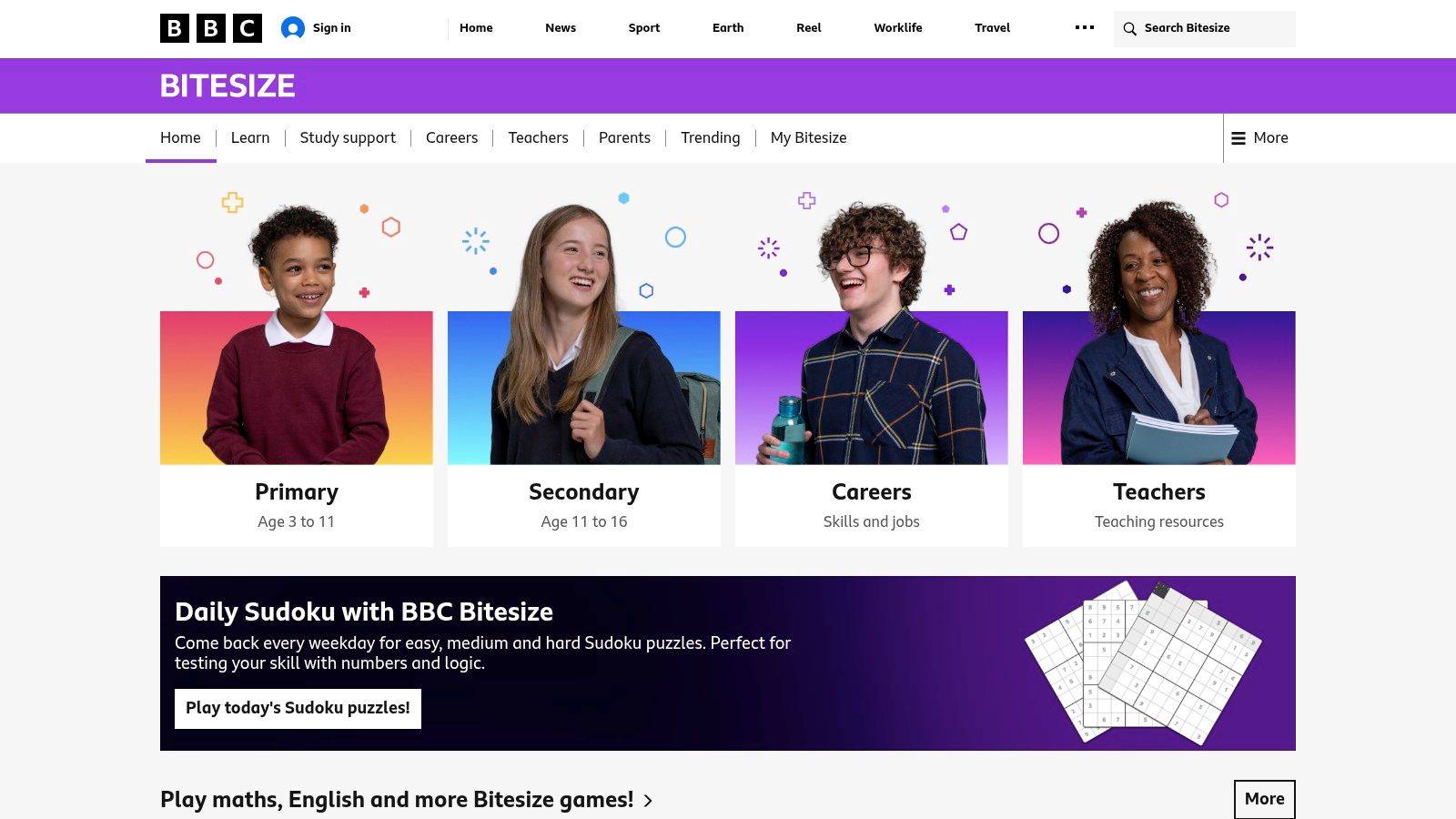
A cornerstone of UK education, BBC Bitesize is an indispensable, completely free resource that has supported generations of students. For many parents, it’s the first port of call when GCSE revision feels overwhelming. It provides a reliable and comprehensive foundation across a vast range of subjects, breaking down complex topics—like the causes of the Cold War or the intricacies of cell mitosis—into digestible, curriculum-aligned chunks.
Its real strength lies in its accessibility and trustworthiness; you know the content is quality-checked and directly relevant to your child's exams. The platform allows you to select your specific exam board (e.g., AQA, Edexcel, OCR), ensuring the revision material is perfectly tailored. This simple step removes the deep-seated anxiety of studying the wrong information, allowing your child to focus their energy effectively and feel secure in their efforts.
Key Features & How to Use Them
BBC Bitesize organises its content brilliantly, making it one of the best GCSE revision apps for structured learning. The combination of guides, video explainers, and interactive quizzes caters to different learning styles, ensuring every child can find a way in.
- Exam-Board Specific Content: Before diving in, sit with your child and use the selector to filter for their exact exam board and subjects. For instance, selecting "AQA" and "Biology" will immediately bring up the correct syllabus. This simple step ensures every minute of revision is productive.
- "Learn & Revise" Section: This is the core of Bitesize. If your child is struggling with Shakespeare, the short, animated videos can bring a scene to life in a way a textbook can't. The text-based guides are perfect for getting the key details down afterwards.
- Interactive Quizzes: After covering a topic, encourage your child to complete the quizzes. This isn't just a test; it's active recall practice, the crucial process of moving information from short-term to long-term memory, which builds lasting confidence.
- App for Offline Access: Download the dedicated app to save key topics. This is perfect for revision on the go, turning a boring bus ride into a productive session on German vocabulary without needing an internet connection.
This platform integrates seamlessly with other study methods. To get the most out of it, check out our comprehensive GCSE revision tips for more strategies.
| Feature | Details |
|---|---|
| Pricing | Completely free to access on the web and via mobile apps. |
| Platforms | Web browser, iOS, Android. |
| Best For | All learners, especially as a foundational resource. Excellent for visual learners and those needing a quick, reliable overview of a topic. |
| Pros | Unbeatable price (free), broad subject coverage, trusted and curriculum-aligned content. |
| Cons | Some niche subjects or options may have less depth; occasional app performance issues have been reported. |
| Website | Visit BBC Bitesize |
2. Seneca Learning
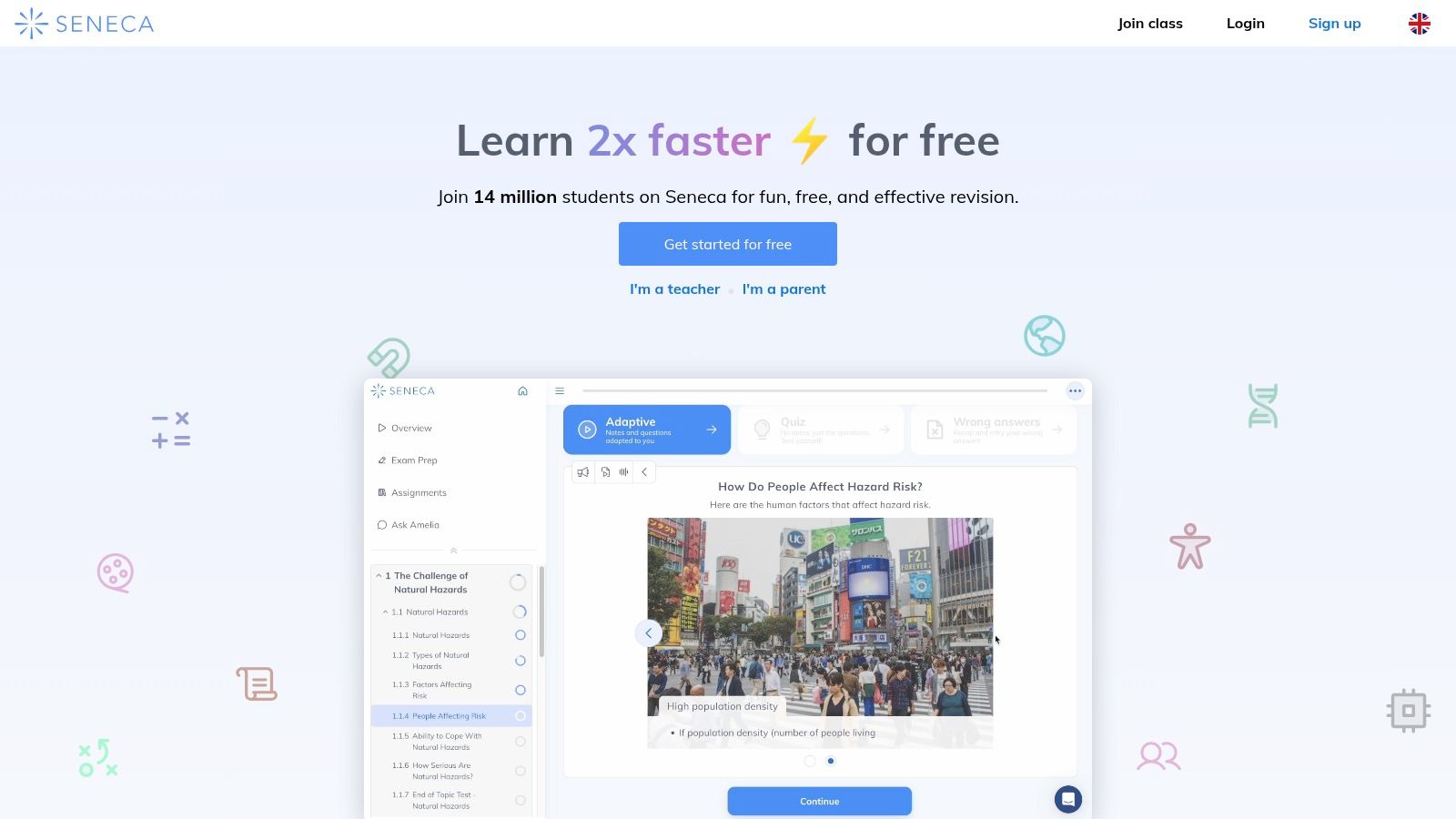
Seneca Learning takes a modern, gamified approach to revision, transforming study sessions into interactive challenges that can feel more like a game than work. It uses neuroscience principles like spaced repetition to help information stick, making it one of the best GCSE revision apps for a child who struggles with motivation. The platform makes learning feel active and rewarding, complete with points and leaderboards that can spark a little healthy competition.
Its core strength is its engaging format. Instead of passively reading a page, your child is constantly asked to type in answers or select the right option. For a child who dreads opening a textbook, Seneca provides a vibrant and effective alternative that can reignite their interest in a subject they thought they hated. Seeing their progress bar fill up can provide a powerful emotional boost on a tough day.
Key Features & How to Use Them
Seneca is built to make revision feel productive and rewarding. The platform guides students through topics with a mix of short notes, fill-in-the-blank questions, and multiple-choice quizzes, all designed to build confidence.
- Exam-Board Specific Courses: Just like Bitesize, the first step is to select the correct exam board and subjects. For example, find the "Edexcel Maths Higher" course to ensure the learning path is perfectly tailored for your child.
- Interactive Learning Modules: Encourage your child to work through the modules for a specific topic. If they get a question wrong about coastal erosion in Geography, Seneca’s algorithm cleverly re-introduces it at later intervals, turning a mistake into a learning opportunity.
- Track Progress: The parent dashboard lets you see which topics have been mastered and which need more work. Use this data to offer encouragement, "I can see you've really cracked trigonometry!" and to gently guide their focus without nagging.
- Premium "Hyperlearning" Features: For more intensive support, the paid tiers add features like mock exams and AI-marked open-ended questions, offering a deeper level of exam preparation for that final push.
| Feature | Details |
|---|---|
| Pricing | A large library of courses is free. Premium tiers with advanced features are available via a monthly or annual subscription. |
| Platforms | Web browser, iOS, Android. |
| Best For | Kinaesthetic learners and students who benefit from gamification. Excellent for building foundational knowledge in an engaging way. |
| Pros | Huge free library, lively UI that keeps students engaged, strong GCSE coverage, based on cognitive science principles. |
| Cons | Frequent upselling to Premium can be distracting; some users report occasional repetition in the free question types. |
| Website | Visit Seneca Learning |
3. Save My Exams
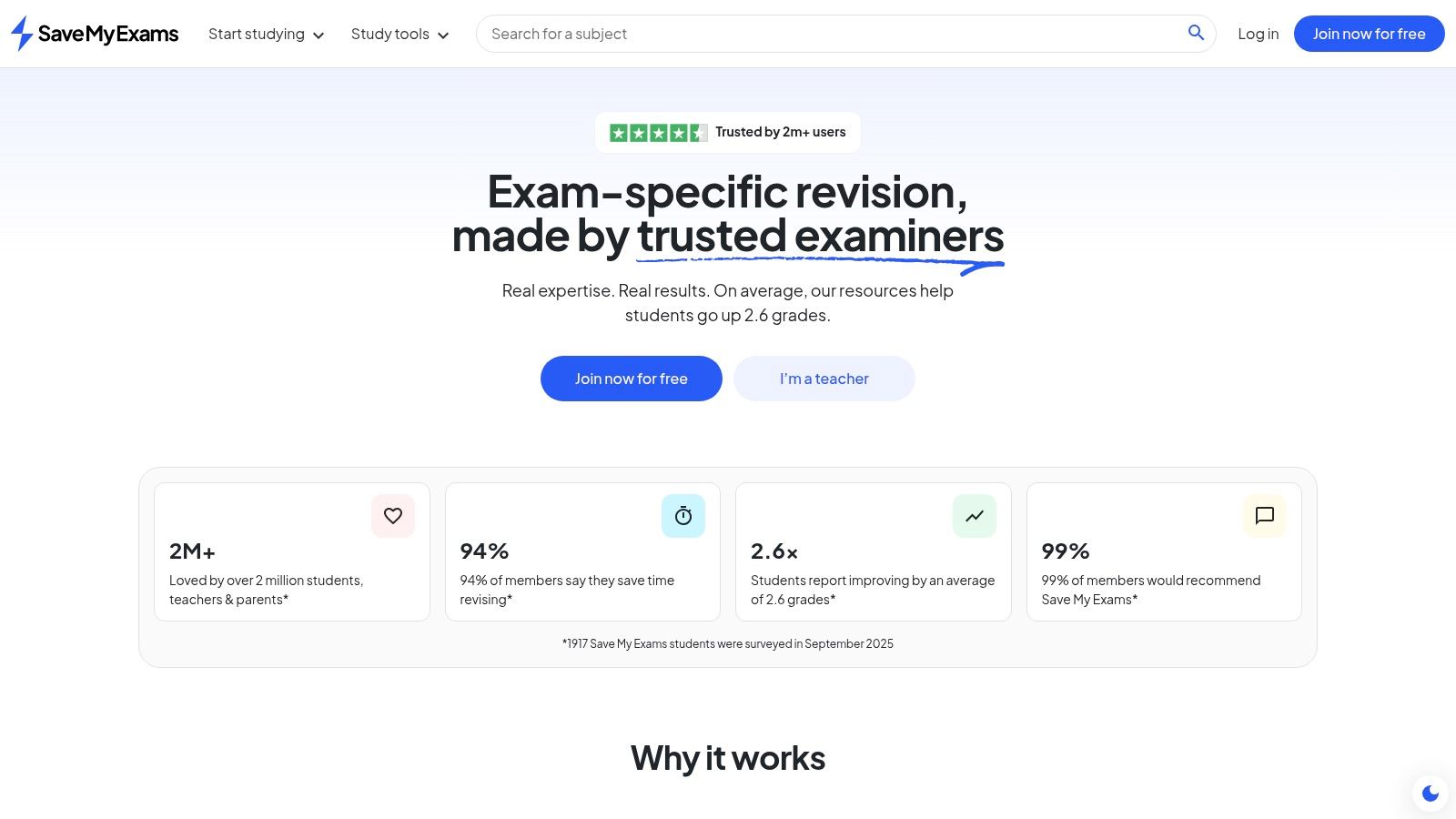
When the goal shifts from general understanding to acing the exam, Save My Exams becomes a critical ally. It’s designed specifically for students who want to master exam technique, offering meticulously organised revision notes, topic-specific questions, and a vast library of past papers. For a child feeling anxious about how to apply their knowledge under pressure, this platform provides the perfect, structured practice to calm their nerves.
Its main advantage is its laser focus on exam-style preparation. Rather than just covering the curriculum, it deconstructs it into the types of questions your child will actually face. This process builds not only knowledge but also the confidence needed to walk into the exam hall feeling prepared and in control, knowing they've seen and practiced questions just like the ones in front of them.
Key Features & How to Use Them
Save My Exams excels at providing the tools for targeted, exam-focused revision, making it one of the best GCSE revision apps for students in the final stages of their preparation.
- Topic Questions: After revising a topic—for instance, covalent bonding in Chemistry—your child should immediately tackle the corresponding topic questions. This bridges the critical gap between knowing the content and being able to answer questions on it.
- Model Answers & Mark Schemes: This is the most powerful feature. Don't just check if an answer is right or wrong. Sit with your child and compare their response to the model answer, analysing the mark scheme to understand exactly how a 6-mark question is broken down and where marks are won.
- Extensive Past Papers (Premium): The premium subscription unlocks a huge bank of past papers. Help your child set up a timed mock exam at home on a Sunday morning to simulate real exam conditions and build their resilience to pressure.
- Progress Analytics: Use the platform’s tracking tools to identify weaker areas. This allows your child to focus their precious revision time where it will have the most impact, rather than just re-reading topics they already know well.
| Feature | Details |
|---|---|
| Pricing | Free access to revision notes. Premium subscription required for past papers, topic questions, and model answers. |
| Platforms | Web browser. |
| Best For | Students aiming for top grades who need extensive exam-style question practice and detailed, structured revision notes. |
| Pros | Deep exam focus with clear notes, comprehensive bank of exam-style practice, free samples available to try. |
| Cons | Best tools and past papers are behind a paywall; the monthly plan can be pricier than the annual subscription. |
| Website | Visit Save My Exams |
4. Tassomai
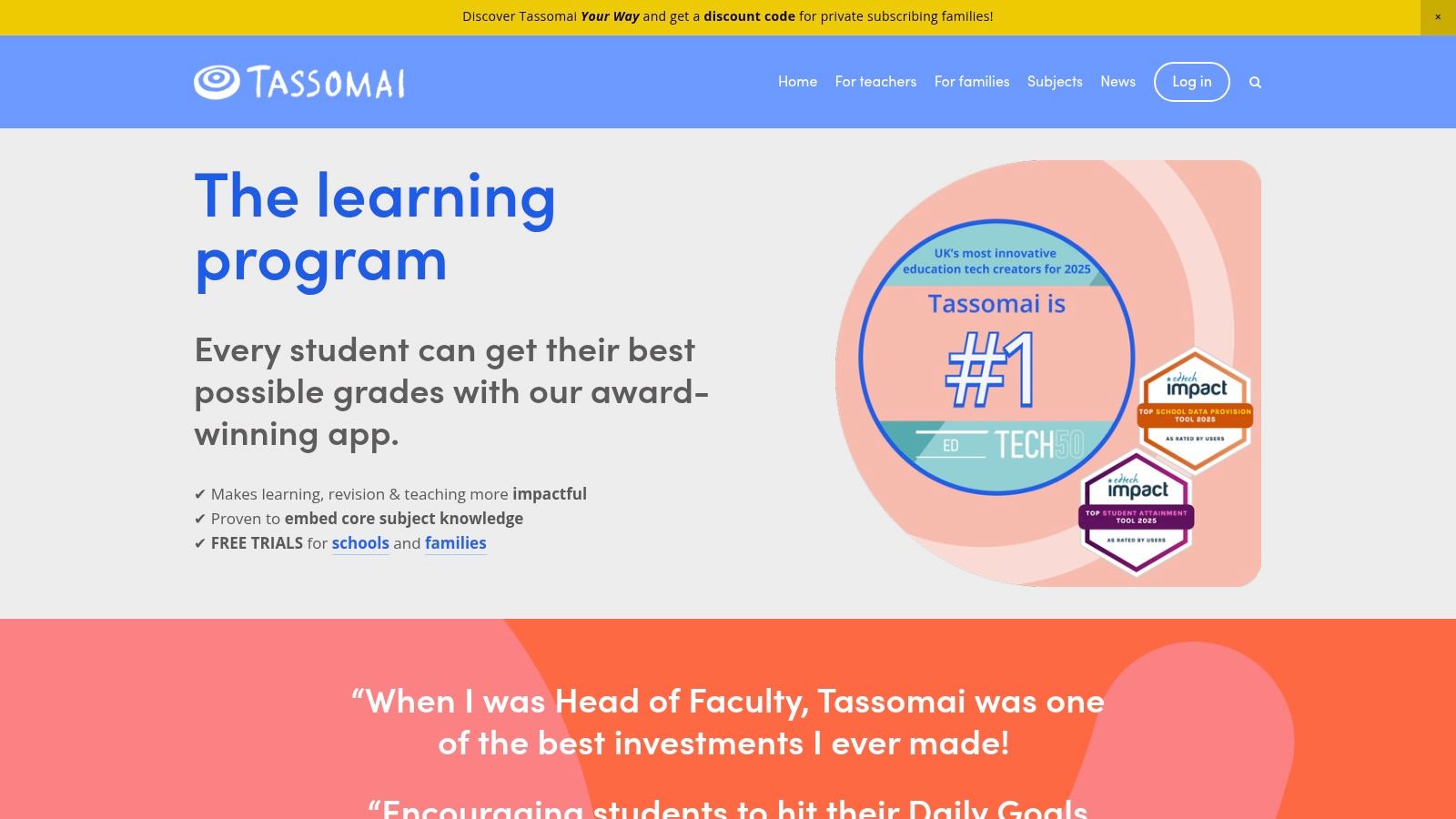
Tassomai is built on the principle of "little and often," transforming GCSE revision from a daunting marathon into manageable daily sprints. It uses an adaptive quizzing algorithm, originally designed for GCSE Science, to create personalised daily goals. This evidence-based approach is perfect for a child who feels completely overwhelmed by the sheer volume of revision or struggles with procrastination, as it gives them a clear, achievable task each day.
Its unique strength is in creating a low-stakes, structured routine that builds knowledge almost imperceptibly over time. For busy families, knowing your child has a simple, ten-minute task to complete removes the daily stress of negotiating revision sessions. The platform’s algorithm gently identifies your child’s weaker areas and re-tests them until the knowledge is secure, promoting genuine understanding and reducing the fear of "not knowing."
Key Features & How to Use Them
As one of the best GCSE revision apps for habit formation, Tassomai’s features are designed to encourage regular engagement and track progress effectively. It shifts the focus from hours spent studying to knowledge gaps filled.
- Personalised Daily Goals: The platform sets a target, like "answer 20 questions correctly." Encourage your child to complete this short quiz daily—perhaps over breakfast—to build a powerful routine that feels like a natural part of their day.
- Adaptive Quizzing: The algorithm does the heavy lifting. Your child just needs to answer the questions. If they get one on photosynthesis wrong, that topic will reappear later, ensuring they truly master it without any extra planning from you.
- Progress Dashboards: The "Tree" offers a beautiful, visual representation of their knowledge. Use this to celebrate their hard work. Seeing a branch turn from red to green is a fantastic confidence boost and a tangible sign of their progress.
- Science Grade Guarantee: For eligible subscribers, this offers peace of mind and demonstrates the platform’s confidence in its method, providing a powerful motivator for your child to stay consistent.
| Feature | Details |
|---|---|
| Pricing | Subscription-based, with packages per subject or for a bundle of core subjects. |
| Platforms | Web browser, iOS, Android. |
| Best For | Learners who benefit from structure and routine. Excellent for building foundational knowledge in core subjects like Science, Maths, and English. |
| Pros | Excellent for regular low-stakes practice, highly structured daily habit formation, good for busy families who need short daily tasks. |
| Cons | Full GCSE package can be comparatively expensive; breadth outside core subjects is narrower than all-in-one platforms. |
| Website | Visit Tassomai |
5. Pearson Revise Online
As one of the UK’s leading educational publishers, Pearson offers a revision platform that feels as reliable and authoritative as their textbooks. Pearson Revise Online is designed to feel like having an entire library of their popular revision guides at your fingertips, but with digital tools to make studying more interactive. For a child who feels reassured by structured, expert-led content, this platform can provide a real sense of security.
The platform is particularly strong for students studying for Pearson Edexcel or AQA exams, as the content is written by the experts behind the specifications. This direct link removes the worry of using unreliable online resources and ensures that every piece of information, from worked examples to quick quizzes, is precisely what examiners are looking for. It gives your child the confidence that their revision is focused and 100% relevant.
Key Features & How to Use Them
Pearson Revise Online stands out as one of the best GCSE revision apps for its publisher-backed content and organisational tools. It helps your child take control of their revision schedule while using materials they can depend on.
- Online eBook Access: Your subscription unlocks over 80 GCSE revision guides. If your child is studying An Inspector Calls, they can highlight key quotes and make notes directly in the digital eBook, keeping everything in one place.
- Planner and Progress Tracker: Help your child use the built-in planner at the start of their revision period. They can map out which topics to cover and when. Seeing the tracker turn green as they complete each section provides a wonderful sense of accomplishment.
- Flashcard Creator: Encourage your child to create their own digital flashcards after reading through a topic. For example, after revising key dates in History, they can build a quick flashcard deck to test themselves later. This active process is far more effective than passive reading.
- Quick Quizzes & Videos: After revising a topic, the short quizzes and worked example videos are perfect for checking understanding. Watching a video that breaks down a tricky maths problem step-by-step can be the "aha!" moment your child needs.
This platform's structured content makes it a great supplement to formal teaching, and you can explore more about how it fits into the wider educational landscape by reading our guide to the best online learning platforms.
| Feature | Details |
|---|---|
| Pricing | Low-cost monthly or annual subscription. A free trial is available. |
| Platforms | Web browser. |
| Best For | Students following Pearson Edexcel and AQA exam boards, learners who prefer structured, book-style revision. |
| Pros | Authoritative, publisher-authored content, affordable pricing, excellent alignment to Edexcel/AQA specs. |
| Cons | Less comprehensive for other exam boards; content is primarily text/video-based, not adaptive practice. |
| Website | Visit Pearson Revise Online |
6. Quizlet
Quizlet is a digital powerhouse for active recall, turning the classic, dog-eared flashcard into an interactive and dynamic study tool. With millions of user-generated study sets, your child can almost instantly find pre-made resources for their specific GCSE subjects, from French vocabulary to key quotes from Macbeth. This makes it one of the best GCSE revision apps for rapid-fire memorisation, perfect for the child who learns best through repetition.
The platform’s strength lies in its simplicity and speed. Instead of spending hours creating materials, your child can find a relevant set and start learning in minutes. This immediate engagement is perfect for short, focused revision bursts and can turn "dead time" into productive study time. The collaborative nature of sharing sets also fosters a sense of community, helping your child feel like they're not alone in their revision journey.
Key Features & How to Use Them
Quizlet gamifies the learning process, making repetitive memorisation less of a chore and more of an engaging challenge. It empowers students by giving them tools that fit into the rhythm of modern life.
- Find or Create Flashcard Sets: Search for existing sets by subject, like "AQA GCSE Biology Cell Structure." For tailored revision, encourage your child to create their own sets; the act of summarising notes into flashcards is a powerful study technique in itself.
- "Learn" Mode: This adaptive mode is brilliant. It uses spaced repetition to show your child flashcards they struggle with more frequently. It's a highly efficient way to target weak spots and build the confidence that comes from finally mastering a tricky concept.
- "Test" Mode: Before a topic test, use this feature to generate a practice exam with different question types. This helps your child get used to applying their knowledge under pressure, reducing exam-day anxiety.
- Mobile App: The app is perfect for on-the-go revision. A five-minute wait for the bus can become a quick vocabulary drill for Spanish, making every moment count and easing the pressure to do long, formal revision sessions.
The platform's design supports the kind of active engagement crucial for success; you can learn more about optimising study in our guide to learning in virtual environments.
| Feature | Details |
|---|---|
| Pricing | Freemium model. Core features are free; Quizlet Plus subscription unlocks advanced features like Learn mode and offline access. |
| Platforms | Web browser, iOS, Android. |
| Best For | Memorising key terms, vocabulary, dates, and formulae. Ideal for subjects like MFL, History, Biology, and Chemistry. |
| Pros | Extremely fast to get started, vast library of user-made content, excellent for active recall practice, collaborative features. |
| Cons | Quality of user-generated sets can be inconsistent; the most powerful features are locked behind a paywall. |
| Website | Visit Quizlet |
7. Cognito
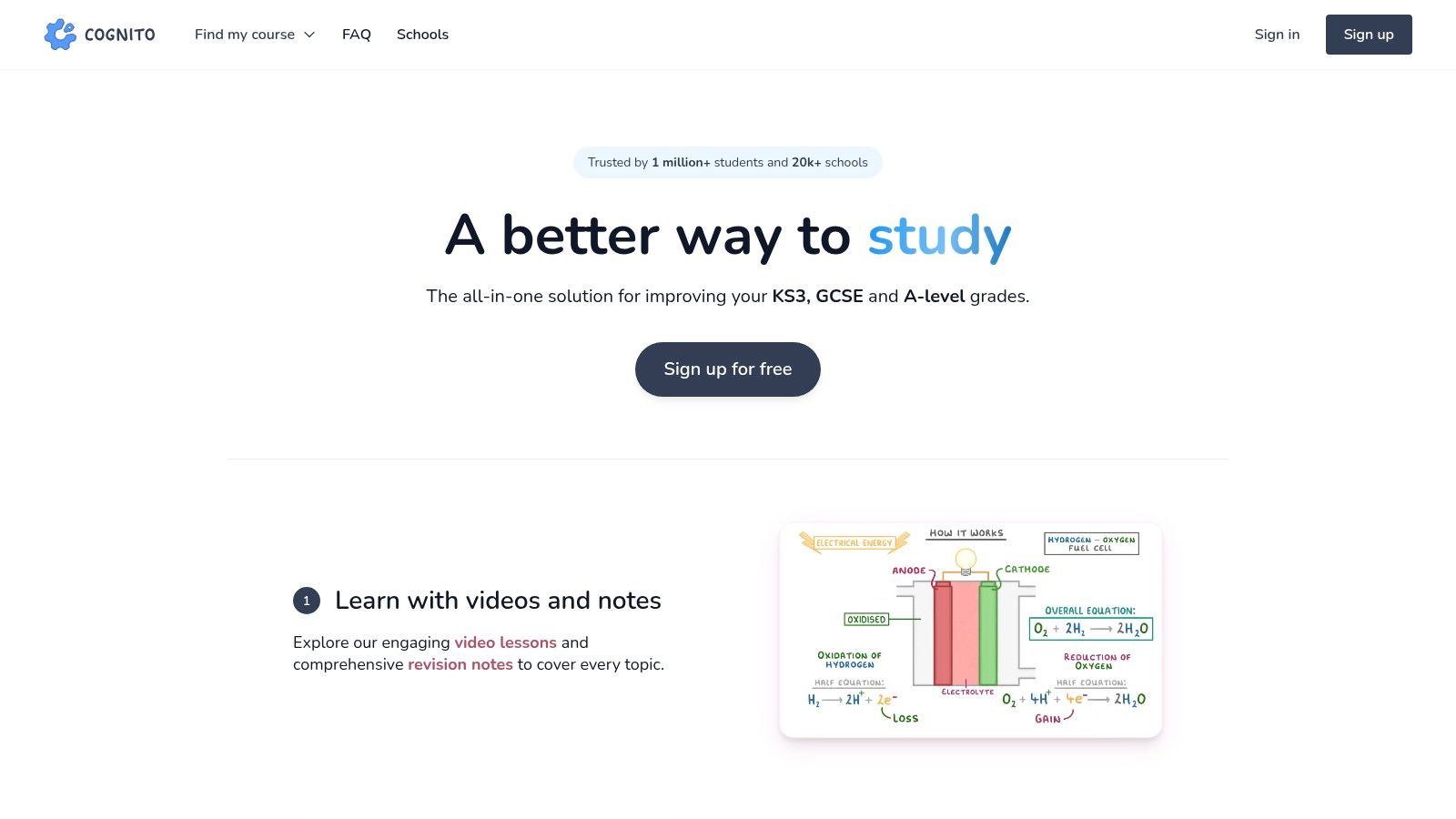
Cognito has quickly become a favourite for GCSE science and maths revision, offering a clean, modern interface and high-quality, exam-board-specific content. It operates on a 'freemium' model, meaning a huge library of its core video lessons is available completely free, making it an accessible starting point for any family. For a child who finds subjects like Triple Science or Higher Tier Maths intimidating, Cognito excels at breaking them down into manageable, video-led lessons that feel supportive, not scary.
The platform is designed to build a child’s confidence by guiding them through a topic from the ground up, starting with foundational videos before moving to practice questions. This structured approach is particularly helpful for students who feel anxious about science or maths, as it provides a clear and logical path to understanding. Cognito’s focus on these core subjects makes it one of the best GCSE revision apps for targeted, in-depth support.
Key Features & How to Use Them
Cognito’s strength lies in its blend of video content and active recall practice, making it ideal for students who learn best by watching and then doing. It’s a powerful tool for turning passive learning into active, exam-ready knowledge.
- Free Video Lessons: Start with the 400+ free, concise video lessons. If your child is stuck on a Physics concept like calculating kinetic energy, they can watch the short video explainer as many times as they need to, without the pressure of asking a teacher to repeat themselves.
- Topic-Specific Exam Questions: After the video, use the free bank of exam questions on that exact topic. This is perfect for targeted revision, allowing your child to immediately apply what they've just learned and solidify their understanding.
- Past Papers Hub: Once confident with individual topics, move on to the past papers section to practise timing and exam technique, building stamina for the real thing.
- Pro Subscription: If your child responds well to the platform, the Pro subscription unlocks interactive quizzes and flashcards, which are crucial for cementing knowledge through spaced repetition and turning wobbly understanding into solid fact.
| Feature | Details |
|---|---|
| Pricing | Freemium. Core videos and exam questions are free. A 'Pro' subscription unlocks quizzes and flashcards. |
| Platforms | Web browser, iOS, Android. |
| Best For | Students needing strong support in GCSE Maths and Sciences (Biology, Chemistry, Physics). |
| Pros | A large amount of high-quality content is free, strong coverage of core STEM subjects, board-aligned. |
| Cons | Pro pricing details are less prominent on the site; some exam boards may not have full coverage for every subject. |
| Website | Visit Cognito |
8. GCSEPod
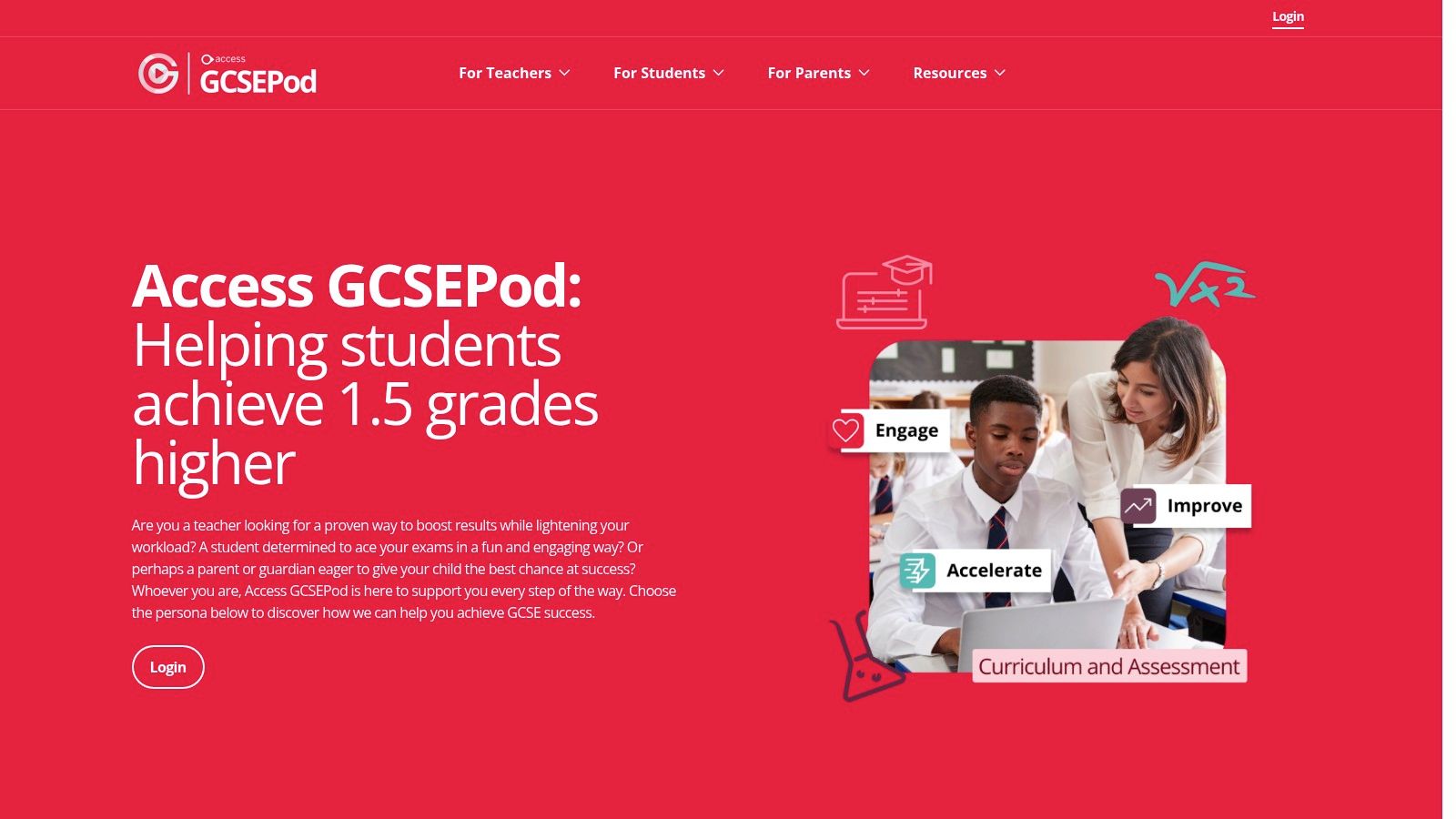
GCSEPod is a powerful, school-subscribed service that delivers revision through thousands of short, professionally produced audio-visual "Pods." Each Pod is a highly concentrated, 3-5 minute video designed to be easily digestible, making it perfect for students who feel overwhelmed by dense textbooks or have a shorter attention span. It’s built on the principle of micro-learning, helping to build confidence and knowledge one small, manageable step at a time.
This platform is widely adopted by schools across the UK, meaning there’s a good chance your child already has free access through their school login. The content is meticulously mapped to exam board specifications, covering over 20 subjects. Its bite-sized approach makes it one of the best GCSE revision apps for turning spare moments—like the walk to school or waiting for dinner—into effective, low-pressure study sessions.
Key Features & How to Use Them
GCSEPod's strength is its ability to break down vast subjects into memorable, high-impact chunks. It’s an ideal tool for reinforcing classroom learning and plugging knowledge gaps without feeling like a huge effort.
- Exam-Board Mapped "Pods": Encourage your child to search for specific topics they find difficult. They can create a playlist of Pods on "Elizabethan England" to listen to before a History test, providing a quick and focused knowledge boost.
- Offline Downloads: The mobile app allows users to download entire playlists. This is invaluable for revision during the commute to school or in areas with poor internet, ensuring learning never has to stop and can fit around their life.
- Assignments and Quizzes: If the school uses GCSEPod, teachers can set assignments and quizzes. This integrates homework and revision seamlessly. The "Check & Challenge" feature provides instant feedback, helping your child see where they need to focus without waiting for a marked test.
- Progress Tracking: The platform provides clear data on what has been watched. This helps your child see their progress, which is a fantastic motivator. A simple, "Wow, you've covered five topics this week!" can make a huge difference to their morale.
| Feature | Details |
|---|---|
| Pricing | Predominantly licensed through schools; students usually get free access via their school. Individual pricing is not typically available. |
| Platforms | Web browser, iOS, Android. |
| Best For | Auditory and visual learners, students with short attention spans, and reinforcing in-school learning. Excellent for on-the-go revision. |
| Pros | Bite-sized, exam-focused content; strong school adoption and teacher integration; fantastic offline capability. |
| Cons | Access is usually dependent on the school having a subscription; not easily available for individual purchase. |
| Website | Visit GCSEPod |
9. Educake
Educake is a powerful tool focused on active recall and testing, widely used by schools to streamline homework and revision. It excels at providing vast banks of auto-marked, exam-board-specific questions, allowing your child to test their knowledge repeatedly without waiting for a teacher to mark their work. This immediate feedback cycle is brilliant for building confidence and taking the sting out of making mistakes.
While primarily a school-based platform, its strength lies in targeted practice. If your child’s school provides access, it becomes one of the best GCSE revision apps for consolidating what they've learned in class. It moves beyond passive reading, forcing students to actively retrieve information—a proven method for strengthening memory. For the child who thinks they know a topic, Educake gives them a chance to prove it to themselves.

Key Features & How to Use Them
Educake is designed for focused, quiz-based revision. The platform helps students pinpoint exactly what they do and don't know, making study time more efficient and less stressful.
- Auto-Marked Quizzes: The core feature is its extensive library of questions. Encourage your child to complete a quick 10-question quiz on a topic they've just revised. The instant results help them understand mistakes while the concepts are still fresh in their minds.
- Revision Wizard: This feature empowers your child to take control of their own learning. They can select a subject, and Educake will generate a personalised quiz, adapting to their performance to help them improve where they need it most.
- Track Progress: The platform provides clear analytics, showing performance over time. This can be incredibly motivating. You can sit with your child and see their score on "Algebraic Fractions" go from 40% to 85% over a few weeks, giving them tangible proof that their hard work is paying off.
- Exam-Board Specification: Like the best resources, it allows filtering by exam board, ensuring every question is relevant to the final exam they will sit, which reduces any anxiety about wasted effort.
| Feature | Details |
|---|---|
| Pricing | Primarily sold directly to schools on an annual, per-subject basis. Individual access is typically granted through a school account. |
| Platforms | Web browser. |
| Best For | Learners who benefit from active recall and 'test-and-learn' revision cycles. Excellent for targeted practice after a topic is taught. |
| Pros | Extremely effective for practice testing, excellent exam board alignment, reduces teacher marking workload, provides instant feedback. |
| Cons | Access is usually dependent on the school subscribing; not designed as a standalone content-learning platform. |
| Website | Visit Educake |
10. SimpleStudy
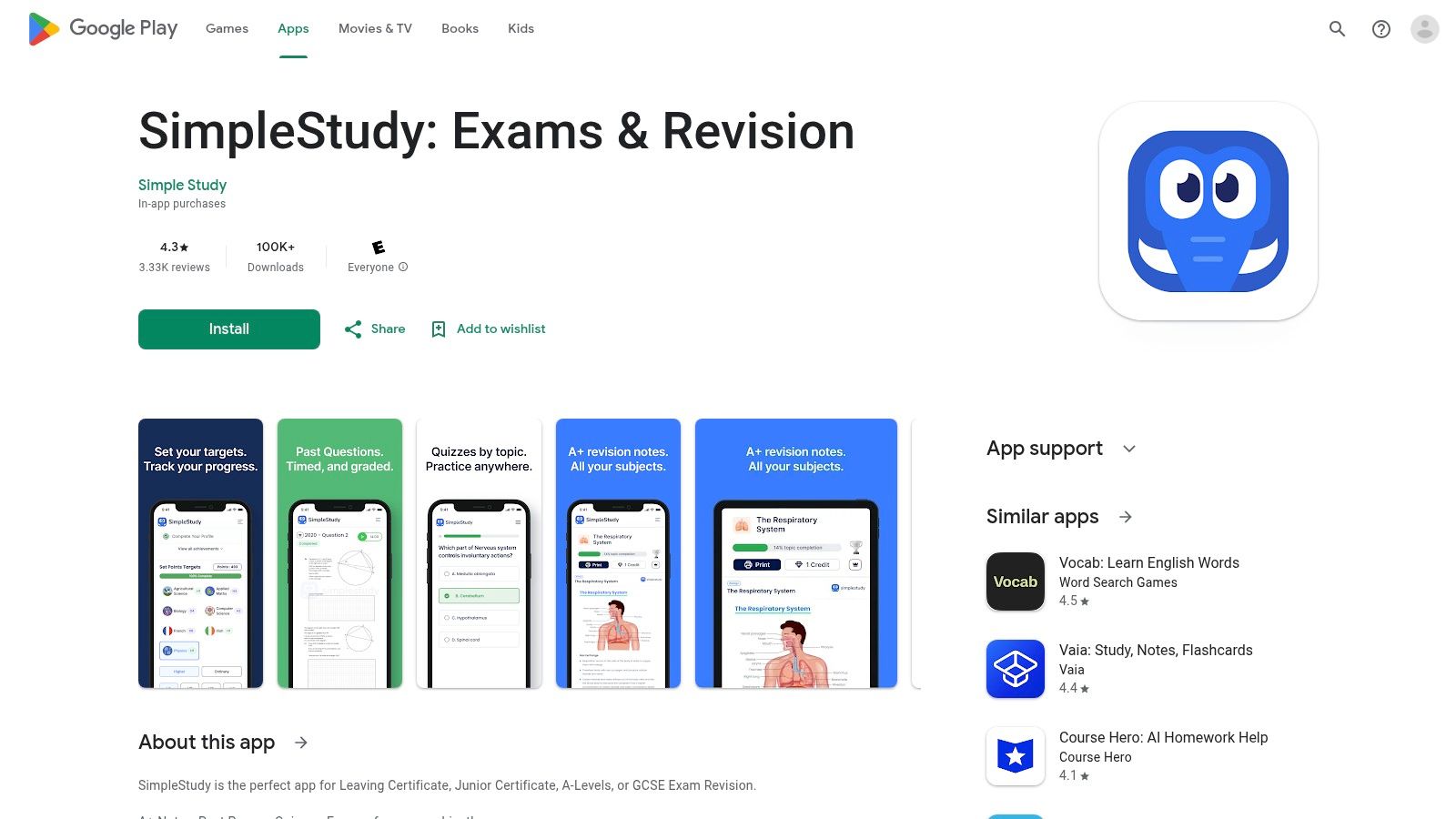
SimpleStudy positions itself as an all-in-one mobile revision partner, perfect for the student who wants their entire study toolkit in their pocket. It combines curriculum-aligned notes, versatile testing tools, and a built-in planner, which helps reduce the overwhelming feeling of juggling multiple apps and notebooks. For a child who thrives on organisation and feels calmer when they can see a clear plan, this integrated approach can be a game-changer.
Its strength lies in its mobile-first design, making it one of the best GCSE revision apps for learning on the move. By bundling exam-specific content with planning and progress-tracking features, it empowers a student to take charge of their own revision routine. This can help build maturity and confidence as they visually track their efforts and see how far they have come.
Key Features & How to Use Them
SimpleStudy’s design focuses on efficiency, merging content consumption with active recall and planning in one seamless interface. The platform helps students build a consistent study habit directly from their phone.
- Smart Revision Notes: These concise, topic-specific notes are ideal for quick-fire revision sessions. They're perfect for a final 10-minute review of "Acids and Alkalis" just before a Chemistry lesson.
- Quizzes, Flashcards & Past Papers: Encourage your child to mix these up to keep revision interesting. Flashcards are great for memorising key terms, while quizzes test application. Past papers should be used under timed conditions to get a real feel for the exam environment.
- Study Planner & Progress Tracker: At the start of the week, help your child map out their revision schedule using the planner. The progress tracker provides positive reinforcement, showing which topics are mastered and giving them the satisfaction of ticking them off the list.
| Feature | Details |
|---|---|
| Pricing | Freemium model. Basic access is free, with subscriptions required to unlock all content and features. |
| Platforms | Web browser, iOS, Android. |
| Best For | Organised learners who prefer an all-in-one solution on their mobile, and for students who need help structuring their revision time. |
| Pros | Combines revision planning with content and testing, broad syllabus coverage, highly mobile-friendly design. |
| Cons | Less established than major competitors, and a subscription is needed to access the full range of features. |
| Website | Visit SimpleStudy |
11. RevisePal
RevisePal turns what can often feel like a chore into an engaging challenge by gamifying GCSE revision. It’s designed for the modern student who thrives on quick, interactive bursts of learning, transforming study time into a competitive game. This app is perfect for filling those spare moments—like the journey to school or waiting for a friend—with productive, bite-sized revision that feels fun.
The platform’s core strength is its motivational structure. By incorporating leaderboards and leagues, it taps into a competitive spirit that can make daily study a habit rather than a burden. For a child who struggles with the motivation to sit down with a textbook, RevisePal offers an accessible and less intimidating entry point into their subjects. Seeing their name climb a leaderboard can be a surprisingly powerful confidence booster.

Key Features & How to Use Them
RevisePal is one of the best GCSE revision apps for building consistent study habits through game mechanics. Its mobile-first design makes it incredibly convenient for revision on the move.
- Board-Mapped Quizzes: Start by selecting the correct exam board (AQA, Edexcel, OCR, etc.) to ensure all quiz content is relevant. This is crucial for targeted revision and reassures your child they're learning the right things.
- Gamified Learning: Encourage your child to compete in the leagues. Setting a small, daily goal, like completing two quizzes or moving up a rank, can build powerful momentum and make revision feel less like an endless task.
- Flashcards and Past-Paper Questions: Use the flashcards for quick-fire topic reviews before bed. Integrate the past-paper-style questions into study sessions to practise exam technique in short, manageable bursts.
- Progress Tracking: Regularly check the progress tracker together. This visual feedback can be hugely motivating, showing your child how their consistent effort is paying off in a clear, graphical way.
| Feature | Details |
|---|---|
| Pricing | Free to download with core features; in-app purchases are available to unlock additional content and depth. |
| Platforms | iOS, Android. |
| Best For | Students who need a motivational boost, learners who prefer short and frequent study sessions, and kinesthetic learners who enjoy interactive challenges. |
| Pros | Engaging, game-like format encourages regular practice; excellent for quick revision on mobile; covers core subjects with frequent updates. |
| Cons | Not a comprehensive textbook replacement; achieving full depth across all topics may require in-app purchases. |
| Website | Visit RevisePal |
12. KayScience
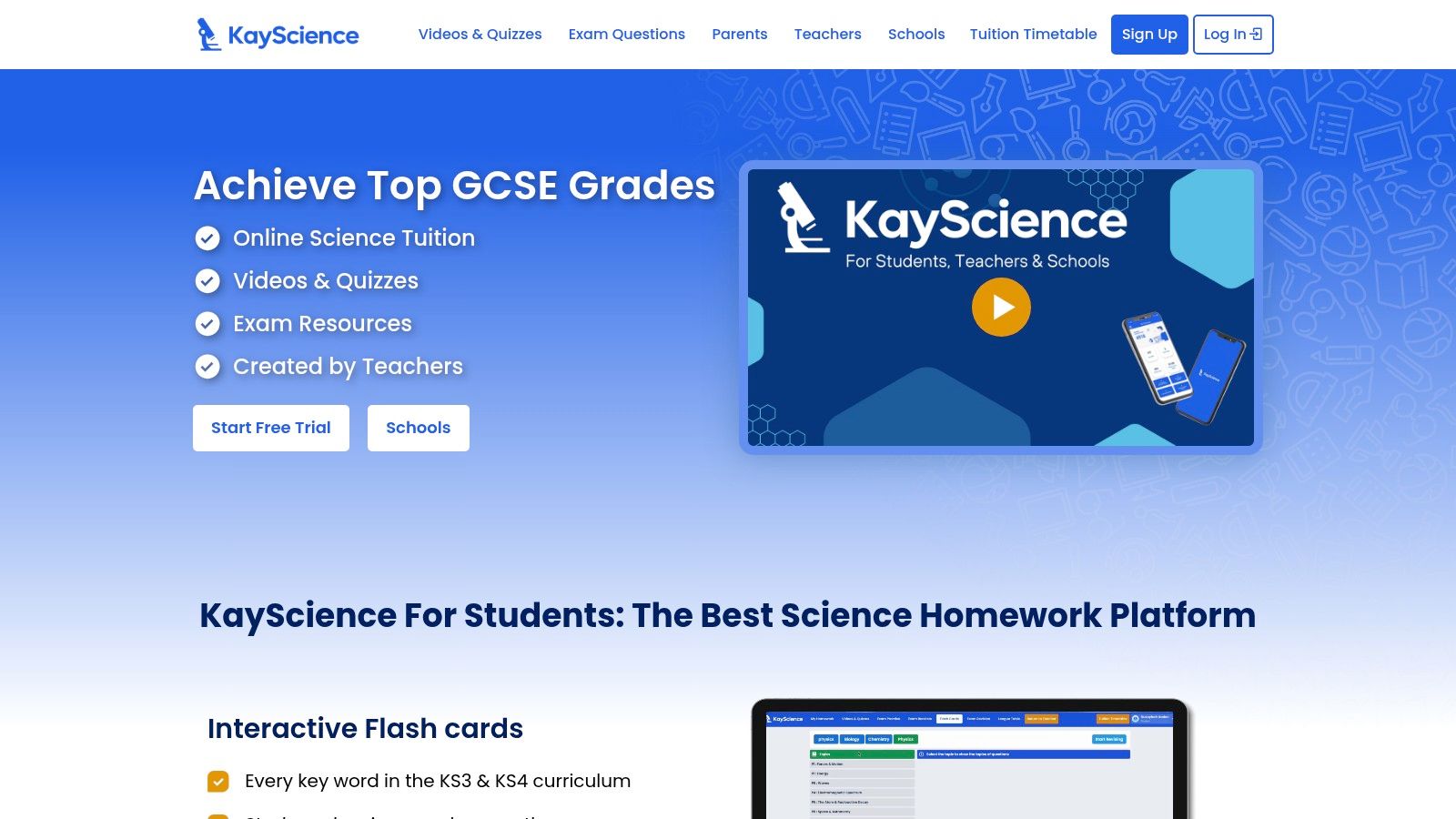
For students finding GCSE Science a particular hurdle, a specialist resource can make all the difference. KayScience is a dedicated platform designed exclusively for GCSE Science (Biology, Chemistry, and Physics), offering an impressive depth of content that generic, multi-subject apps sometimes lack. It provides a focused environment for a child who feels overwhelmed by science, removing distractions and zoning in on its specific challenges.
Its standout feature is the way it integrates active learning directly into its video lessons. Rather than passively watching, students are prompted with questions as they go, ensuring they are engaged and understanding the concepts. This method is fantastic for building confidence and pinpointing areas of weakness in real-time, making it one of the best GCSE revision apps for turning science anxiety into science understanding.
Key Features & How to Use Them
KayScience is built to make science revision structured and interactive. The platform’s alignment with AQA, Edexcel, and OCR specifications means your child's study time is always relevant and efficient.
- Interactive Video Lessons: Use the 800+ videos as the main learning tool. Encourage your child to answer the embedded questions while watching a video on the human circulatory system. This breaks up passive viewing and reinforces knowledge instantly.
- Self-Marking Quizzes: After watching a video on a topic like "cell structure," have them immediately complete the corresponding quiz. This provides instant feedback and helps solidify key terminology without the fear of getting it wrong in class.
- Parent Progress View: Utilise the parent dashboard via the mobile app. This feature allows you to see which topics your child has mastered and where they might be struggling, allowing you to offer targeted support and encouragement.
- Gap-Fills and Keyword Tests: These are perfect for mastering the precise scientific language required by examiners. A quick 10-minute session on keywords can make a huge difference to your child's confidence in using technical terms correctly.
| Feature | Details |
|---|---|
| Pricing | A free plan with access to all quizzes. Paid plans unlock video content, starting from £9.99/month. |
| Platforms | Web browser, iOS, Android. |
| Best For | Students needing dedicated, in-depth support for GCSE Science subjects. Ideal for kinaesthetic and active learners. |
| Pros | Strong, specialist focus on GCSE Science; interactive video format; parent progress tracking; optional live tuition available. |
| Cons | Limited to science subjects; most video content is behind a paywall. |
| Website | Visit KayScience |
Top 12 GCSE Revision Apps — Feature Comparison
| Platform | Core features | Quality ★ | Value & Price 💰 | Target 👥 | Unique selling point ✨/🏆 |
|---|---|---|---|---|---|
| BBC Bitesize | Exam‑board aligned guides, videos, quizzes, flashcards, offline app | ★★★★☆ Trusted, broad | 💰 Free | KS3–GCSE students & parents | ✨ Official curriculum mapping, zero‑cost |
| Seneca Learning | Adaptive gamified lessons, spaced practice, exam‑mapped courses | ★★★★☆ Engaging UI | 💰 Freemium (Premium: mocks & AI) | KS3–A‑Level self‑learners | ✨ Gamification + adaptive learning |
| Save My Exams | Topic notes, model answers, past papers, SmartMark AI | ★★★★☆ Exam‑focused, detailed | 💰 Paid (comprehensive past papers) | GCSE/IGCSE exam preppers | 🏆 Extensive past papers & AI marking |
| Tassomai | Personalised daily quizzes, learner/parent dashboards, goals | ★★★★☆ Habit‑forming, structured | 💰 Subscription (mid–high) | Busy families & science learners | ✨ Daily goals + science grade guarantee |
| Pearson Revise Online | 80+ eBooks, flashcard creator, quizzes, planner, tracker | ★★★☆☆ Publisher‑authored, reliable | 💰 Low‑cost subscription, free trial | Edexcel/AQA students & schools | 🏆 Publisher‑backed exam materials |
| Quizlet | Millions of flashcard sets, Learn/Test modes, mobile apps | ★★★★☆ Fast, great for memorisation | 💰 Freemium (Plus for best features) | Vocabulary & quick‑recall learners | ✨ Massive user‑created content library |
| Cognito | 400+ explainer videos, topic lessons, exam questions, Pro quizzes | ★★★☆☆ Board‑mapped, accessible | 💰 Freemium (Pro unlocks quizzes) | Science & maths GCSE students | ✨ Large free board‑aligned video library |
| GCSEPod | 3–5min Pods, playlists, offline downloads, teacher integration | ★★★★☆ Bite‑sized, school‑friendly | 💰 School‑licensed / variable | School cohorts & revisioners | 🏆 Micro‑lessons widely adopted by schools |
| Educake | Auto‑marked quizzes, Revision Wizard, whole‑school analytics | ★★★★☆ Strong practice & reporting | 💰 School subscription (per subject) | Teachers & whole‑school tracking | ✨ Reduces teacher marking; analytics |
| SimpleStudy | Smart notes, quizzes, flashcards, past papers, planner & tracker | ★★★☆☆ Mobile‑first, all‑in‑one | 💰 Freemium / in‑app purchases | Mobile learners KS4–A‑Level | ✨ Integrated planner + progress tools |
| RevisePal | Board‑mapped quizzes, flashcards, leaderboards, past‑paper style | ★★★☆☆ Gamified short sessions | 💰 Freemium (in‑app purchases) | Students who prefer gamified study | ✨ Leagues & leaderboards for motivation |
| KayScience | 800+ science videos, 10k+ quizzes, embedded questions, live tuition | ★★★★☆ Science specialist, comprehensive | 💰 Paid tiers, free trial | GCSE Science students & parents | 🏆 Specialist science focus + embedded Qs |
Your Partner in Their Success: Choosing Confidence Over Conflict
Navigating the GCSE years can feel like walking a tightrope. You want so badly to help your child succeed, but every offer of help can feel like pressure, turning revision into a battleground. This journey through the best GCSE revision apps isn't just about finding a tool; it's about finding a way to support them that feels empowering, not overbearing. It’s about transforming technology from a distraction into a powerful ally in their corner.
We’ve seen how different apps speak to different needs. For the anxious child, the reliability of BBC Bitesize is a comfort. For the unmotivated child, the games in Seneca Learning can be a spark. For the high-achiever, the rigour of Save My Exams provides a challenge. The key takeaway is clear: the most effective tool is the one that makes your child feel capable, understood, and in control of their own learning journey.
From Information to Action: Making the Right Choice
The real challenge isn't knowing what's available; it's choosing what's right for your child. To move from this list to a practical solution that builds their confidence, consider these final steps:
- Initiate a Collaborative Conversation: Instead of presenting a single app as a mandate, sit down with your child and browse the options together. Frame it as a team effort. Ask questions like, "Which of these looks less like work and more like something you'd actually use?" or "I know you find chemistry tricky; do you think the video lessons on Cognito or the flashcards on Quizlet would feel more helpful?" This approach fosters ownership and motivation.
- Align the Tool with Their Emotional Need: Think specifically about your child. Do they need to feel competitive to stay engaged? Then RevisePal could be perfect. Do they need the security of a structured daily task to reduce their anxiety? Tassomai is the answer. For a child with SEN who feels overwhelmed by planning, an adaptive app that guides them can be life-changing. Match the app to their personality, not just their subject.
- Implement a 'Trial and Adapt' Period: Encourage a low-pressure trial of one or two apps. Set a realistic goal, perhaps 15 minutes a day for a week. Afterwards, check in without judgement. "How did that feel for you?" If an app isn't clicking, don't force it. The goal is to find a sustainable habit that reduces stress, not a rigid rule that adds to it.
Integrating Apps into a Wider Support System
Remember, these apps are powerful components of a revision strategy, not the entire strategy itself. They work best when integrated into a balanced routine that still includes past papers, mind maps, and, crucially, time to switch off and rest. For students who need more comprehensive help, exploring other academic support platforms can also be beneficial. For instance, you can often find Chegg student discounts for academic support that provide access to expert Q&A, offering another layer of support when they feel stuck.
Ultimately, your role in this process is not just as a provider of resources, but as a source of unwavering encouragement. The underlying message you send is more important than any app you download. By focusing on effort over outcomes and celebrating small wins, you can help your child build the resilience and self-belief they need to not just navigate their exams, but to thrive beyond them. Choosing the right tool is about choosing to build their confidence, reduce their anxiety, and empower them to take control of their own success.
While apps provide incredible supplementary support, they can't replace the personalised guidance of an expert teacher. If you're looking for a holistic educational environment where technology is seamlessly integrated into live, interactive lessons tailored to your child's needs, discover how Queens Online School can build a foundation for lasting academic success. Explore our GCSE programmes at Queens Online School today.